
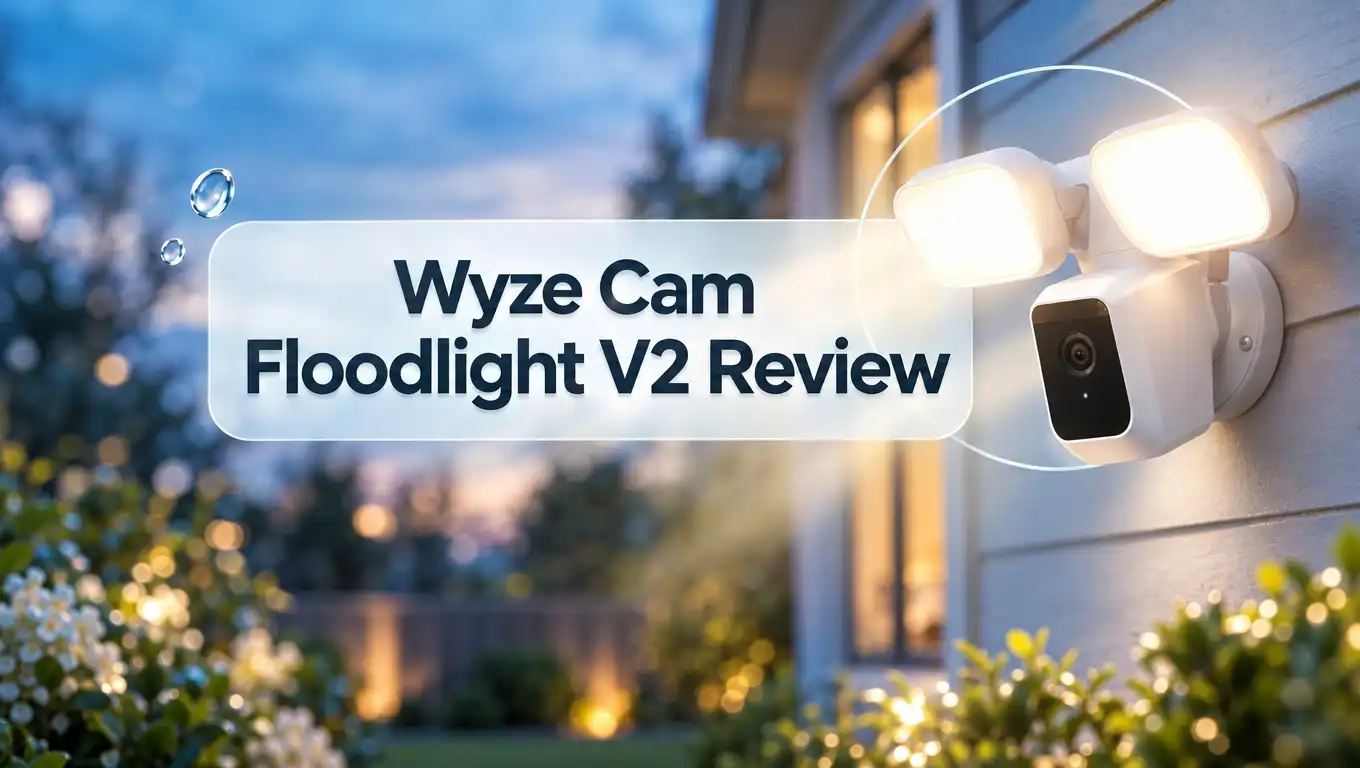
Wyze Cam Floodlight V2 Review 2026: Still Worth It?
Outdoor security cameras can cost a lot. Many of them also lock the best features behind a monthly plan.
The Wyze Cam Floodlight V2 tries a different approach. It gives you a bright light, a sharp camera, and local storage for around $90 to $100.
But is it really a good deal? I looked at the specs, the features, the setup steps, and real owner feedback.
In a Nutshell
- Strong value for the price: The Wyze Cam Floodlight V2 costs about $90 to $100. It gives you a 2K camera, 2800 lumens of light, and a 160 degree view. Most rivals charge much more for similar hardware.
- Sharp video day and night: The camera records at 2304 x 1296 pixels. It offers standard infrared night vision and color night vision. The floodlights make nighttime footage clear and full of color.
- Local storage is built in: You can add a microSD card up to 256GB. The camera then records 24/7 without a cloud plan. The card is sold separately, so budget a few extra dollars.
- A subscription adds the smart features: Cam Plus costs about $3 a month per camera. It adds person, pet, package, and vehicle alerts. Without it, you face a five minute wait between recordings.
- Setup is simple but needs wiring: The camera replaces an existing outdoor light. You connect it to household wires. The app setup is wireless, and no QR code scan is needed.
- Reliability is the weak spot: Some owners report false alerts and dropped connections. The camera also supports only 2.4GHz WiFi. Wyze had a privacy breach in 2023, which some buyers still consider.
Wyze Cam Floodlight V2


Last update on 2026-11-01 / Affiliate links / Images from Amazon Product Advertising API
The Wyze Cam Floodlight V2 is a wired outdoor security camera with two bright LED floodlights. It replaces an existing outdoor light fixture. You get lighting and video in one device.
This model is the second generation of Wyze’s entry level floodlight camera. It improves on the first version in a few clear ways. The video is sharper, the view is wider, and the lights are brighter.
Wyze built this camera for people who want strong features at a low price. It sits below the Wyze Floodlight Pro in the lineup. The Pro costs more and adds a third light and 5GHz WiFi.
The V2 comes in black or white. That is a small but nice change, because the first version only came in white.
The camera works with Alexa, Google Assistant, and IFTTT. It does not work with Apple HomeKit. If you use an iPhone, you can still use the Wyze app.
The camera also has a 105dB siren and two way audio. You can talk to a visitor from your phone. You can also scare off a stranger with the siren.
For most homes, this camera covers a driveway, a front door, or a backyard well. The price is the main reason people choose it over bigger brands.
Key Specs and Features
Specs tell you what the camera can do. Here is a clear look at the V2 numbers.
The camera records at 2304 x 1296 pixels. Wyze calls this 2K video. The field of view is 160 degrees diagonal. That is wide enough to cover most front yards.
The two LED panels give 2800 lumens of combined light. You can dim them. The color temperature is fixed at 5000K, which is a cool white light.
The camera offers three night modes. It has standard infrared night vision, Starlight color night vision, and full floodlight color video.
Here are the other key details:
- Weather rating of IP65 for rain and dust
- Operating range from minus 4 to 140 degrees Fahrenheit
- microSD slot for cards up to 256GB
- 2.4GHz WiFi support only
- Hardwired power with included mounting parts
The unit weighs about 2.76 pounds. It feels solid on the wall.
One feature is gone from the first version. The USB port that powered a second Wyze camera has been removed. If you liked that trick, the V2 will disappoint you.
Overall, the spec sheet looks strong for the price. The weak points are the lack of 5GHz WiFi and the fixed light color.
Design and Build Quality
The V2 looks like a classic floodlight. Two large lamps sit on top. The camera and motion sensor sit in the center below them.
I would call the design clean but a little chunky. It is not a sleek device. It looks like a real security light, and that can scare off intruders.
Wyze made the camera housing more compact than before. It looks tidier than the first version. The lamps are adjustable, so you can aim them at the area you want to light.
The build feels sturdy. The IP65 rating means rain and dust will not harm it. The temperature range also fits cold winters and hot summers.
The black and white options help the camera blend into your home. Pick the color that matches your trim or siding.
The unit uses one center bolt to attach to a mounting bracket. That keeps the weight steady on the wall or eave.
There is one design tradeoff. The device is heavier than a normal light. Make sure the electrical box can hold it. A solid, well fixed box is a must.
Overall, the design is practical. It is not fancy, but it gets the job done and looks neat on most homes.
Video Quality and Night Vision
Video quality matters most in a security camera. You want to see faces, plates, and packages.
The V2 records in 2K. Daytime video looks good overall. Colors are clean, and the 160 degree view covers a lot of ground. Fish eye distortion is mild.
The video is not the sharpest in its class. Top rivals show finer detail at a distance. For a budget camera, though, the picture is solid.
Night video is where this camera shines. The floodlights switch on and flood the scene with white light. The footage then turns into full color video.
Even without the floodlights, the camera has two other night modes. Standard infrared gives black and white video. Starlight color night vision adds color in low light.
I like having all three options. You can keep the lights off for a quiet yard. You can also turn them on when you want a bright, clear picture.
Two way audio works through the app. The sound is clear enough for short chats with a delivery driver.
The live view loads fast in the app. Recorded clips also load quickly. That makes checking an alert quick and painless.
Top 3 Alternative for Wyze Cam Floodlight V2
The V2 is a great value, but it is not the only choice. Here are three alternatives worth a look.
Wyze Floodlight Pro is the step up from the V2. It has 3000 lumens, a 180 degree view, and 2.5K video. It also supports dual band WiFi. Choose it if your WiFi signal is weak outdoors.

Last update on 2026-11-01 / Affiliate links / Images from Amazon Product Advertising API
Ring Floodlight Cam Wired Plus is a well known option. It records 1080p video and has two LED lights, a 105dB siren, and two way talk. Choose it if you already use Ring devices.

Last update on 2026-10-14 / Affiliate links / Images from Amazon Product Advertising API
eufy Security Floodlight Camera E340 is a premium pick. It has two lenses, 360 degree coverage, and pan and tilt. It also has AI tracking and 2000 lumens. Choose it if you want to cover a large yard with one camera.

Last update on 2026-10-27 / Affiliate links / Images from Amazon Product Advertising API
Each option has a clear strength. The Pro gives more power for a little more money. Ring gives a familiar app. The eufy gives the widest coverage.
The V2 still wins on price. If you want the lowest cost with good features, it is hard to beat.
Floodlight Brightness and Lighting Modes
The lights are a big part of this camera. They do two jobs. They light up your yard, and they warn people that you are watching.
The V2 has 2800 lumens of combined brightness. That is very bright. It is only slightly less than the Pro at 3000 lumens.
In daily use, the two lamps feel as strong as the Pro’s three lamps. Most yards get plenty of light.
You can dim the lights in the app. That helps if the glare bothers your neighbors. It also saves a bit of power.
The V2 adds an ambient light mode. This mode turns the lights on and off on a schedule. The lights work even when no motion is present. The first version could not do this.
You can also link the siren to the motion sensor. When the camera sees movement, it can flash the lights and sound the alarm. That is a strong deterrent.
The color temperature is fixed at 5000K. That is a cool, bright white. Some people like a warmer tone. You cannot change it on this model.
The lights are easy to aim. Tilt them down to cover a walkway. Tilt them out to cover the lawn.
Overall, the lighting is a top feature. It gives you power well above the price tag.
Installation and Setup
The V2 is a hardwired camera. You connect it to your home’s electrical wires. This takes a bit of skill, but the steps are simple.
You replace an existing outdoor light with the V2. All the parts you need come in the box. In my case, I needed wire nuts of a different size, so keep a few spare.
If you have done basic wiring before, the job takes a few minutes. Always turn off the power at the breaker first. If you are not sure, hire an electrician.
Wyze also offers a plug in mount for homes without a junction box. This option helps renters and people who do not want to open a wall. It works with a power outlet.
The app setup is easy. Wyze removed the QR code step. You can now connect fully by wireless. That saves a trip up the ladder.
After you connect, you run a quick firmware update. Then the camera starts streaming video.
Remember that the camera only supports 2.4GHz WiFi. Check your signal strength at the mounting spot before you install. A weak signal causes dropped video.
Overall, setup is friendly for most homeowners. The wiring is the only tricky part.
Motion Detection and Smart Alerts
Motion detection decides how useful a security camera feels. Too many false alerts will wear you out. Too few will miss real events.
The V2 has a sensitive motion sensor. Some owners say it detects cars and shadows. If that happens, lower the sensitivity in the app.
In one test, the V2 was less jumpy than the Pro. Even on high sensitivity, it ignored bugs and moving shadows. That is good news for most buyers.
Other owners report many false alerts each day. Results vary based on your yard, your lighting, and your settings. Trees, busy roads, and reflections can cause extra alerts.
The base alerts only tell you about motion. A Cam Plus plan adds smart detection. You get alerts for people, pets, packages, and vehicles.
Smart detection cuts down false alerts a lot. You only get a message when something important happens. I think this plan is worth it for a busy street.
You can set up motion zones in the app. Draw a zone around your driveway and ignore the street. That simple step makes a big difference.
The camera also pairs with the siren and lights. A person walking up to your door triggers the whole system.
Tune your settings in the first week. You will get cleaner alerts after that.
Storage Options and Subscription Costs
Storage is where many cameras trap you. The V2 gives you choices.
You can record to a microSD card up to 256GB. The card is not included. A card gives you 24/7 recording with no monthly fee. That is a big plus.
You can also use cloud storage with a Cam Plus plan. Plans start at about $3 a month for one camera. There is also an unlimited plan for many cameras.
Cam Plus adds person, pet, package, and vehicle alerts. It also gives you cloud video backup. If a thief steals the camera, the cloud still has the clip.
Without a plan, you face a limit. The camera waits five minutes between recordings. That gap can miss events. Local 24/7 recording fixes this, so a card is a smart buy.
Wyze also sells a Cam Protect plan. It adds professional monitoring for about $4 a month per camera. Most people will not need it.
Here is my simple advice. Buy a microSD card first. Then try the camera for a month. Add Cam Plus only if you want smart alerts.
This setup keeps costs low. You may spend about $100 for the camera and a small amount for the card.
Reliability and Privacy Concerns
Price is not the whole story. Reliability matters too, and this is where Wyze gets mixed feedback.
Many owners are happy with the V2. They like the video and the light. Others report problems. Some say the camera goes offline once a day. Others report laggy video and false alerts.
Wyze cameras depend on the cloud for some tasks. Outages can hurt the app experience. During one outage, event recordings were missing for about 48 hours before they returned.
That outage also tied to a security breach in 2023. Private video thumbnails were shown to about 13,000 users. Wyze promised to do better.
You should weigh that history. Some buyers will accept it for the low price. Others will not.
You can protect yourself in a few ways. Use a strong, unique password. Turn on two factor login. Keep the firmware updated.
You can also keep your video local. A microSD card means your footage stays on the camera. That reduces your reliance on the cloud.
Place your router close to the camera, or add a WiFi extender. A strong signal fixes many offline issues.
Overall, the camera works well for most people. Just go in with open eyes.
Pros and Cons
Here is a quick summary of what I liked and disliked.
Pros:
- Low price compared with other floodlight cameras
- Bright 2800 lumen lights that you can dim
- Sharp 2K video with a 160 degree view
- Color night vision and Starlight mode
- Local 24/7 recording with a microSD card
- Easy wireless app setup with no QR code
- Ambient light mode with a schedule
- Works with Alexa, Google Assistant, and IFTTT
- Black and white color options
Cons:
- Requires wiring or a plug in mount
- Supports only 2.4GHz WiFi
- Color temperature fixed at 5000K
- microSD card sold separately
- Some smart features need a paid plan
- No Apple HomeKit support
- Some owners report false alerts and dropped connections
- Past security breach may worry some buyers
- Bulky design
The pros list is longer, and the strengths are real. The cons are mostly about reliability and extras. Decide which ones matter most to you.
Who Should Buy the Wyze Cam Floodlight V2?
This camera fits a clear group of buyers. Let me break it down.
You should buy it if you want low cost and strong features. The price is hard to beat. The video and lights feel like a more expensive product.
It also suits you if you like local storage. A microSD card gives you 24/7 recording. You avoid a monthly bill.
It works well for small to medium yards. A driveway, a porch, or a backyard patio are all great spots. The 160 degree view covers them nicely.
Existing Wyze users will enjoy it. The app is familiar, and all your cameras sit in one place.
You should skip it in a few cases. If your WiFi at the mount spot is weak, the 2.4GHz limit will hurt. Choose the Wyze Floodlight Pro instead.
If you need Apple HomeKit, skip it. This camera does not support it.
If you worry about cloud privacy, think twice. A brand with a clean history may suit you better.
If you want to cover a large property, look at the eufy E340. Its pan and tilt feature covers more ground.
For everyone else, the V2 is a smart, affordable pick.
Final Verdict on the Wyze Cam Floodlight V2
Last update on 2026-11-01 / Affiliate links / Images from Amazon Product Advertising API
The Wyze Cam Floodlight V2 gives you a lot for a small price. It has bright lights, sharp 2K video, and a wide view. It also has local storage and easy app setup.
It is one of the best budget floodlight cameras you can buy in 2026. The hardware feels strong, and the features cover most needs.
The camera has weak points. It supports only 2.4GHz WiFi. Some smart features need a plan. Some owners report offline issues and false alerts.
My advice is simple. Buy it if you want value and have a good WiFi signal. Add a microSD card and tune your motion zones.
If you want better WiFi and more brightness, move up to the Wyze Floodlight Pro. If you want wide coverage, look at the eufy E340.
Overall, I rate the V2 as a great value pick. It will make your home brighter and safer without a big bill.
FAQs
Is the Wyze Cam Floodlight V2 worth buying?
Yes, for most people. It offers 2K video, 2800 lumens, and local storage at a low price. Check your WiFi signal first, because the camera supports only 2.4GHz.
Does the Wyze Cam Floodlight V2 need a subscription?
No. The camera works without a plan. You can record to a microSD card for free. A Cam Plus plan adds smart alerts and cloud storage.
How bright is the Wyze Cam Floodlight V2?
It produces 2800 lumens from two LED panels. You can dim the lights in the app. The color temperature is fixed at 5000K.
Does the Wyze Cam Floodlight V2 support 5GHz WiFi?
No. It supports only 2.4GHz WiFi. The Wyze Floodlight Pro supports both 2.4GHz and 5GHz.
Can I install the Wyze Cam Floodlight V2 myself?
Yes, if you have basic wiring skills. The kit includes the parts you need. A plug in mount is also available for homes without a junction box.
What is the video resolution of the V2?
It records at 2304 x 1296 pixels, which Wyze calls 2K. The field of view is 160 degrees diagonal.
How much storage can the V2 hold?
It accepts a microSD card up to 256GB. The card is sold separately. Use a high endurance card for 24/7 recording.
Is the Wyze Cam Floodlight V2 weatherproof?
Yes. It has an IP65 rating. It works from minus 4 to 140 degrees Fahrenheit.
Does it work with Alexa and Google Assistant?
Yes. It works with both, and with IFTTT. It does not support Apple HomeKit.

Eulalia is a passionate home improvement enthusiast with years of experience testing and reviewing home products to help families make informed purchasing decisions. Through HomeReviewer.blog, she shares honest, detailed reviews and practical guides to create better living spaces for everyone.