Lubluelu SL60D Robot Vacuum Review 2026: All in One Guide
Cleaning floors every day gets old fast. A robot vacuum can give you that time back, but many models cost too much.
The Lubluelu SL60D promises LiDAR mapping, 4000Pa suction, and mopping at a low price. I looked at its specs, expert tests, and owner feedback. Read on to see if it fits your home.
In a Nutshell
- Price and value: The SL60D is a budget friendly robot vacuum and mop. It gives you LiDAR mapping and app control at a price much lower than premium brands.
- Navigation: The LDS 9.0 LiDAR system scans up to 8 meters. It saves up to 5 maps and cleans in neat rows instead of random paths.
- Suction: It offers up to 4000Pa of suction. Carpet boost raises the power on rugs and drops it again on hard floors.
- Battery: The battery runs for up to 145 minutes. That is enough for most apartments and mid sized homes.
- Mopping: The mop has 3 water levels and a Y shaped mode. It handles fresh spills well but struggles with dried stains.
- Best fit: It suits first time robot vacuum buyers, pet owners with hard floors, and anyone who wants smart mapping without a big bill.
Lubluelu SL60D Robot Vacuum at a Glance

Last update on 2026-10-25 / Affiliate links / Images from Amazon Product Advertising API
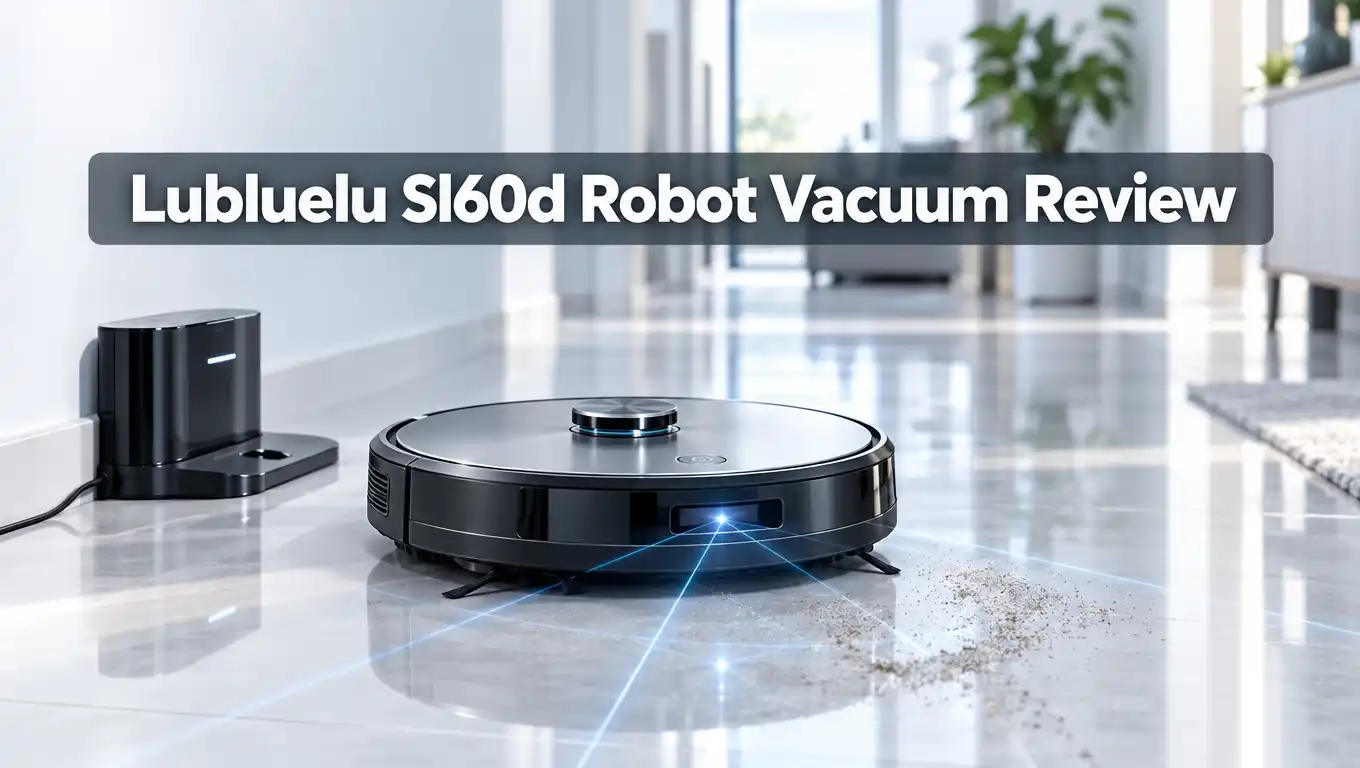
The Lubluelu SL60D is a 3 in 1 robot that sweeps, vacuums, and mops. It uses LiDAR navigation to map your home. You control it with an app, Alexa, or Google Assistant.
The robot is compact and light. It measures about 32 x 32 x 9.25 cm and weighs around 2.8 kg. That low profile helps it slide under many sofas and beds.
The dustbin holds 260ml. The water tank holds 240ml. Both sizes suit small and medium homes.
Lubluelu sells the SL60D in a few versions. Some include a self emptying station with a 2.5L dust bag. Others use only the onboard bin. Check which version you are buying before you order.
The robot climbs thresholds up to 20mm. It also has anti fall and anti collision sensors. These sensors help it avoid stairs and furniture legs.
Lubluelu is a newer brand. Even so, the SL60D has built a steady following among budget buyers. Good Housekeeping scored it 75 out of 100 and called it an excellent beginner model.
That score matches what the specs suggest. The SL60D is not a flagship. It is a smart, simple robot that covers the basics well.
Design and Build Quality
The SL60D has a round body with a glass style top. It looks modern and clean. The finish hides fingerprints better than most glossy robots.
The robot stands under 10 cm tall. This helps it clean under low furniture. It also keeps the body light, so it is easy to carry between rooms.
The SL60D uses two side brushes and one roller brush. Many rivals at this price use only one side brush. The second brush helps pull debris from edges and corners.
The dustbin slides out from the top. It holds 260ml of debris. Good Housekeeping found the bin a little fiddly to fit back in. You may need a second try the first few times.
The bin does not open from the bottom. You shake the dust out into the trash. This is a small chore, but it adds up on busy days.
The mop plate attaches under the robot. You remove it for washing. The mop cloth is washable and reusable.
The robot has a physical power button and a dock button on top. It also includes a small charging dock. The dock is compact, so it fits in most corners.
Build quality feels fair for the price. The plastic is solid but not premium. Expect good daily use, not luxury feel.
LiDAR Navigation and Mapping
Navigation is the best part of the SL60D. It uses LDS 9.0 LiDAR and SLAM mapping. The laser spins on top and measures distance to walls and furniture.
The laser range reaches 8 meters. Lubluelu says this is three times more accurate than basic LDS systems. In real use, the robot built a clean map on the first run.
The robot saves up to 5 maps. This helps if you have more than one floor. You can name each map and switch between them in the app.
Good Housekeeping testers saw the robot follow its maps perfectly. It moved around and under furniture without trouble. It also cleaned a whole room in about 12 and a half minutes.
The robot cleans in straight rows. This is far better than random bumping robots. It saves battery and covers more floor.
You can set no go zones and virtual walls in the app. Lubluelu lists up to 14 no go zones and 20 virtual walls. Some listings show 10 zones, so check your version.
These zones protect pet bowls, cords, and kids play areas. They also keep the mop off your rugs.
The robot has breakpoint resume. If the battery runs low, it returns to charge. Then it goes back and finishes the job.
One weakness is object recognition. The SL60D has no camera. It may bump into socks, cables, or pet toys. Pick up small items before each run.
Top 3 Alternative for Lubluelu SL60D
The SL60D is great for the price. Still, some buyers want more features. These three robots offer upgrades at a higher cost.
Shark AI Ultra Robot Vacuum


Last update on 2026-10-13 / Affiliate links / Images from Amazon Product Advertising API
The Shark AI Ultra uses Matrix Clean navigation and LiDAR mapping. It has a bagless self empty base that holds up to 60 days of dirt. It also has an anti hair wrap brush.
This robot suits homes with lots of pet hair. It focuses on vacuuming more than mopping.
Roborock Qrevo S Robot Vacuum and Mop

Last update on 2026-10-24 / Affiliate links / Images from Amazon Product Advertising API
The Qrevo S gives you 7000Pa suction and dual spinning mops. The dock washes the mops, dries them, and refills the water tank. It also empties the dustbin on its own.
This is the pick for a hands free setup. The price is higher, but the work you save is real.
Yeedi M14 Plus Robot Vacuum and Mop
No products found.
The Yeedi M14 Plus has 18000Pa suction and a roller mop. The base washes the mop with 167°F hot water. It then dries it with hot air.
This model suits buyers who want better mopping. It costs more, but it handles sticky floors far better than the SL60D.
Suction Power and Carpet Performance
The SL60D offers up to 4000Pa of suction. That is a solid number for a budget robot. It has 3 suction modes, so you can match power to the mess.
On hard floors, the robot did well with dust, crumbs, and pet hair. Good Housekeeping testers saw it pick up cereal crumbs with ease.
It did show some weak spots. The brushes flicked biscuit pieces around at times. Bigger clumps of dust also got pushed instead of picked up.
This is common with side brush designs. A second pass often fixes it. You can use double cleaning mode for messy rooms.
The robot has smart carpet boost. It senses carpet and raises suction on its own. Then it drops back to normal power on hard floors. This saves battery.
Low pile carpet and rugs are fine. The robot handles them without trouble. Thick shag rugs are a harder job, and you should add no go zones around them.
The roller brush is rubber and bristle style. Long hair can still wrap around it. Check the brush once a week and cut away tangles.
The filter is washable. Rinse it every two weeks for steady suction. Replace it every few months.
Overall, suction is good for daily upkeep. It will not match a 10000Pa flagship. For light to medium homes, it does the job.
Mopping Performance
The SL60D mops while it vacuums. A small pump feeds water to the pad. You pick from 3 water flow levels.
The low level suits wood floors. It adds light moisture and dries fast. The high level works better on tile and sealed stone.
The robot also has a Y shaped mopping mode. It moves in a pattern like hand scrubbing. This gives sticky spots more attention.
Fresh spills clean up well. Coffee drops, water, and light dirt come off in one pass. Good Housekeeping testers saw good results on recent spills.
Dried stains are a different story. After 10 minutes of mopping, the robot left some dried ketchup and coffee. That is normal for a flat mop pad that does not spin.
This robot does not press down like a spinning mop. It wipes more than it scrubs. Think of it as a daily dust and shine tool.
For best results, mop often. A light daily pass beats a heavy weekly clean. Wipe up big spills yourself first.
Never run the mop on carpet. Remove the mop plate when you vacuum carpet only. Or set no go zones in the app to keep the robot off rugs.
Wash the mop pad after each use. A dirty pad spreads grime. Let it dry before you store it.
Battery Life and Runtime
The SL60D has a battery pack made of four 2600mAh cells. Lubluelu lists a runtime of up to 145 minutes. Good Housekeeping lists up to 150 minutes.
That is a long time for a robot at this price. One charge can cover a small home in a single run. Larger homes may need a recharge in the middle.
Runtime drops when you use high suction or carpet boost. Mopping also uses more power. Plan on about 90 to 120 minutes in real use.
Charging takes about 4 to 5 hours. This is slow compared to some rivals. Set a schedule so the robot charges when you are out.
The recharge and resume feature helps in bigger homes. The robot returns to the dock when power is low. It then goes back to the exact spot it left.
The robot is rated around 62dB in normal mode. That is about the sound of a quiet conversation. You can still talk or watch TV while it runs.
Quiet mode is even softer. It works well at night or during calls. Max mode gets louder, but it only runs on request.
The battery should last several years with normal care. Keep the robot on its dock when not in use. Avoid leaving it in hot or damp places.
For a robot in this class, the battery is a clear strength. It gives you freedom to clean without constant babysitting.
App and Smart Controls
The SL60D works with the Smart Life app. The app connects over 2.4GHz WiFi and Bluetooth. Setup takes about five minutes.
Good Housekeeping called the app super easy to use. You can set routines, map rooms, and add no go zones. The layout is simple, even for first time users.
The app shows a live map during cleaning. You can see where the robot has been. You can also see where it is going next.
You can pick from many modes. These include automatic, edge, zone, spot, double, and scheduled cleaning. You can also start Y shaped mopping from the app.
Scheduling is easy. Set a time each day and the robot starts on its own. This is the best way to keep floors clean without thinking about it.
Voice control works with Alexa and Google Assistant. Say a simple phrase and the robot starts. It is handy when your hands are full.
The robot supports only 2.4GHz WiFi. If your router mixes 2.4GHz and 5GHz under one name, setup may fail. Split the bands first to fix this.
The app lacks some advanced features. There is no object recognition or camera view. Room splitting and merging are also basic.
Customer support gets mixed feedback from some buyers. Keep your receipt and register your robot early. That makes warranty claims much smoother.
Lubluelu SL60D Pros and Cons
The SL60D has clear strengths and a few clear limits. Here is a quick summary of both sides.
Pros:
- Low price for LiDAR: You get accurate laser mapping at a budget price. Many rivals at this cost use weaker navigation.
- Long battery life: Up to 145 minutes of runtime covers most homes. The robot also resumes cleaning after a recharge.
- Two side brushes: The extra brush helps clean edges and corners better than single brush rivals.
- Easy app: The app is simple, quick to set up, and works with Alexa and Google Assistant.
- Compact dock and body: The slim robot fits under low furniture. The small dock fits tight spaces.
- 3 water levels: You can match the mop wetness to your floor type.
Cons:
- Weak on dried stains: The flat mop pad leaves behind dried coffee and ketchup.
- No object avoidance camera: The robot may bump into cables, socks, and pet toys.
- Fiddly dustbin: The bin is tricky to refit. You must also shake out dust by hand on non station versions.
- Debris scatter: Brushes can flick crumbs and push bigger clumps.
- 2.4GHz WiFi only: Some routers need a setting change before the robot connects.
- Spec differences by listing: Suction and zone counts vary by listing, so check before you buy.
Final Verdict on the Lubluelu SL60D

Last update on 2026-10-25 / Affiliate links / Images from Amazon Product Advertising API
The Lubluelu SL60D is a smart value pick for 2026. It gives you LiDAR mapping, long battery life, and easy app control at a low price. For daily upkeep, it works well.
It is best for first time buyers. It also suits pet owners with mostly hard floors. Small and medium homes are the ideal match.
It is not the best for heavy mopping. Dried stains need a stronger robot. Homes with deep pile carpet or lots of floor clutter may also need a stronger model.
Think of the SL60D as a daily helper. It keeps dust, hair, and light spills under control. You then save your own effort for deep cleaning.
If you want a hands free dock that washes mops, look at the alternatives above. They cost more, but they do more. If you want a simple, smart robot on a budget, the SL60D is a strong choice.
My rating is 4 out of 5 stars. It loses a point for weak stain mopping and no object avoidance. It earns the rest for navigation, battery, and price.
FAQs
Is the Lubluelu SL60D worth buying in 2026?
Yes, for budget buyers. It gives you LiDAR mapping, app control, and up to 145 minutes of runtime at a low price. It works best in small to medium homes with mostly hard floors.
How strong is the suction on the Lubluelu SL60D?
Lubluelu lists up to 4000Pa of suction. Some listings show lower numbers, so check yours. The robot has 3 suction modes and carpet boost. It handles dust, crumbs, and pet hair well.
Does the SL60D work on carpet?
It works on low pile carpet and rugs. Carpet boost raises suction when it senses a carpet. Thick shag rugs are harder, and you should keep the robot off them.
Can the SL60D mop and vacuum at the same time?
Yes. It vacuums and mops in one pass. You can pick from 3 water levels. It handles fresh spills well but struggles with dried stains.
How long does the battery last?
The battery lasts up to 145 minutes. Real runtime is often 90 to 120 minutes with carpet boost or mopping. Charging takes about 4 to 5 hours.
Does the SL60D work with Alexa and Google Assistant?
Yes. You can start and stop the robot with voice commands. You can also control it through the Smart Life app.
Does the SL60D need 5GHz WiFi?
No. It supports only 2.4GHz WiFi and Bluetooth. If setup fails, split your router bands and try again.
Does the SL60D avoid stairs and obstacles?
Yes. It has anti fall and anti collision sensors. LiDAR also helps it map furniture. It has no camera, so it may still bump into cables and small items.

Eulalia is a passionate home improvement enthusiast with years of experience testing and reviewing home products to help families make informed purchasing decisions. Through HomeReviewer.blog, she shares honest, detailed reviews and practical guides to create better living spaces for everyone.