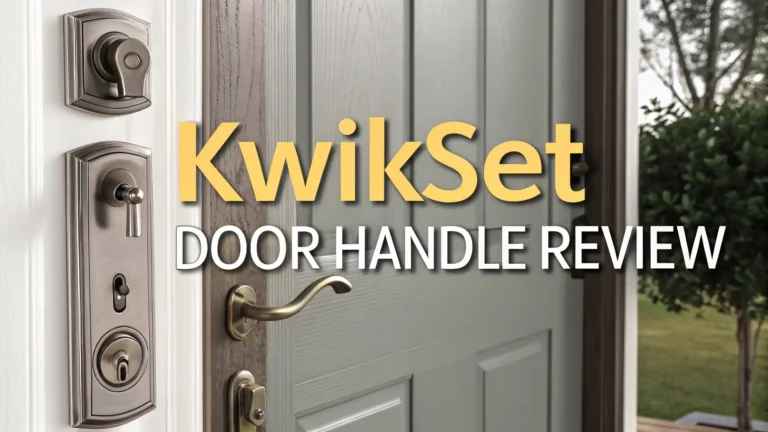
Schlage Encode Smart WiFi Lever Review 2026: Ultimate Guide
If you want a smart lock for a side door, garage entry, office, or guest room, the Schlage Encode Smart WiFi Lever deserves a close look. It gives you remote control, keypad entry, app access, and a physical key, all in one clean package. That mix matters in real life. You can let in family, cleaners, dog walkers, or guests without handing out keys. You can also check lock history from your phone and lock the door from anywhere.
What makes this model stand out is its focus on doors that do not use a deadbolt. Many smart lock reviews focus on front door deadbolts. This one fills a different need. It replaces a lever lock, so it works well on doors that need simple access and smart control at the same time. Schlage also backs it with a strong reputation for security hardware and easy daily use. In 2026, it still looks like one of the best picks in this category for people who want less fuss and more control.

Key Takeaways
- This lock is best for doors without a deadbolt. That is the biggest reason people buy it. If you have a garage entry door, side door, office door, or guest suite door, this lever makes more sense than a deadbolt only smart lock. It gives you remote access and keypad entry in a format that fits those spaces well.
- The built in WiFi is a major win. You do not need an extra hub. You connect it to your home WiFi, use the Schlage Home app, and start managing codes, notifications, and lock history. That keeps setup simple for most households. Simple setup is a real benefit if you want a smart lock that works fast.
- Access control is one of its best features. You can create up to 100 access codes, which is more than enough for most homes, rentals, or small offices. That makes it easy to give people their own code and remove access later. That adds both safety and convenience.
- It is easy to use every day. Physical lock and unlock buttons on the inside help a lot. Passage mode also makes life easier when you want the door to stay unlocked for a while. That small detail matters in busy homes with kids, guests, or workers coming in and out.
- There are limits you should know. It works with Alexa and Google Assistant, but Apple Home support is not part of the standard pitch for this lever. Battery life is solid, but it still uses 4 AA batteries, so you need to keep an eye on power. That is normal for this type of lock, but it is still worth noting.
Schlage Encode Smart WiFi Lever review at a glance

- ANYWHERE ACCESS: With built-in WiFi compatibility, you can easily and securely connect your Schlage Encode Smart...
- PEACE OF MIND: Lock and unlock from anywhere, manage up to 100 access codes for keyless entry, view lock history...
- ADVANCED SECURITY: Secure, encrypted connection; built-in, customizable alarm for door movement and forced entry...

The Schlage Encode Smart WiFi Lever is a smart lever lock with a touchscreen keypad, built in WiFi, app control, and a physical backup key. It is made for doors that need secure access but do not use a deadbolt. That makes it a strong choice for a garage entry, side entrance, office, or guest suite. This is also why many buyers find it more useful than a standard smart deadbolt. It solves a different problem.
On paper, the feature set looks strong. You get remote lock and unlock control, up to 100 access codes, lock history, alerts, auto lock options, and voice assistant support with Alexa and Google Assistant. Schlage also says the lock uses an encrypted connection and offers a customizable alarm for door movement and forced entry attempts. That gives it a nice mix of smart convenience and real security features.
The reason it stays relevant in 2026 is simple. It still fills a gap that many brands ignore. Smart deadbolts are easy to find. Smart lever locks with built in WiFi and a good app are harder to find. Wirecutter still recommends it for doors without a deadbolt, and that says a lot about how useful the design still is. If your door type matches the product, the Encode Smart WiFi Lever can feel like a perfect fit.
Design and build quality
Schlage has always done well with hardware that feels solid, and this lever follows that pattern. The lock comes in styles that fit both classic and modern homes, which helps if you care about how the door looks from the street or inside the house. The finish options and trim styles also make it easier to match existing hardware. That may sound small, but it matters when a smart lock becomes part of your daily routine and part of your home’s look.
The touchscreen is fingerprint resistant, which is a smart design move. It helps keep the keypad looking clean, and it may also make it harder for someone to guess your code from smudge marks. The inside section has practical buttons that help you lock, unlock, or set passage mode quickly. That is one of the best design choices here. Many smart locks bury common functions inside the app. This one keeps core actions easy at the door itself.
Schlage also highlights strong security and durability ratings from BHMA, while retailer listings describe the lock as ANSI Grade 2. That does not make it a commercial vault, but it does suggest a serious residential lock with quality hardware. In daily use, that peace of mind matters. If you want a smart lever that feels more like a real lock and less like a gadget, this model makes a strong first impression.
Installation and setup
Installation looks friendly for most homeowners. Schlage says the lock installs with a screwdriver and does not need hardwiring. It fits standard doors from 1 3/8 inches to 1 3/4 inches thick and supports common backsets. The lever is also reversible for right handed or left handed doors. That means many people can swap out an old lever and get this one running without calling a pro. That saves time and money.
The app setup is also part of the appeal. Since the WiFi is built in, you do not need a separate bridge or hub. You install the batteries, mount the lock, connect it to your 2.4 GHz WiFi network, and finish setup in the Schlage Home app. For many people, that direct path will be much easier than dealing with a lock that needs extra hardware before it can go online. Less gear usually means less stress.
Of course, smart lock setup can still be picky if your WiFi signal is weak near the door. Some user feedback also shows that setup and battery issues can happen, as with many connected locks. Still, the overall design is clearly built for simple home installation. If you want a smart lever without a long learning curve, the Encode Smart WiFi Lever stays strong in this part of the review.
Top 3 Alternative for Schlage Encode Smart WiFi Lever

- KEY-FREE ACCESS, YOUR WAY: Everyone that needs access can choose their own way to unlock, whether it's the keypad...
- NO LOCKSMITH NEEDED: The lock replaces your deadbolt on most standard US entry doors using just a screwdriver; no...
- DON’T WORRY, IT'S LOCKED: Never worry again about remembering to lock the door. Yale can be set to Auto-Lock once...

- CONTROL FROM ANYWHERE: Wi-Fi enabled smart door lock (no hub required), use the Kwikset app to remotely lock and...
- CONVENIENT KEYLESS ENTRY: Enable intelligent geofencing to automatically unlock as you approach your home, unlock...
- SHARE ACCESS WITH GUESTS: Backlit keypad supports up to 250 access codes for keyless entry; use the Kwikset app to...

- Creates premium door hardware known for solid-brass construction and luxury finishes
If the Schlage model is close to what you want but not perfect, there are a few alternatives worth checking. The first is the Yale Assure Lock 2 with WiFi. It is a smart deadbolt rather than a smart lever, but it is a strong option if your door uses a deadbolt and you want remote access, keypad entry, and a clean modern design. Yale has good brand recognition in this space, and the WiFi version keeps remote control simple.
The second is the Kwikset Halo WiFi Smart Lock. This is another deadbolt style option with direct WiFi control and app access. It is popular because it does not need a hub and often costs less than premium smart lock rivals. If you want an easy WiFi smart lock for a front door, it can be a smart value pick.
The third is a Baldwin smart lock option, the Baldwin 8225 touchscreen model. This one makes more sense for buyers who care a lot about premium hardware style and already use Z Wave in a smart home setup. It is more niche and can cost much more, but the look is high end. In short, the Schlage still feels like the best match if you need a true smart lever, while Yale and Kwikset make more sense for deadbolt doors.
Daily use and app experience
This is where the Schlage Encode Smart WiFi Lever earns most of its praise. In daily life, convenience matters more than a long feature list. You want the lock to open fast, lock fast, and make access simple for the people you trust. This model does that well. You can use a code, the app, voice control, or the backup key. That gives you flexibility without making the lock confusing. Good smart home gear should feel easy, and this lock mostly gets that right.
The Schlage Home app lets you lock and unlock remotely, manage codes, view history, and receive notifications. That is useful for families, rentals, and anyone who needs to give limited access to guests or workers. Home Depot reviewers also praise the remote access and the ability to manage entry from anywhere. If you travel or work long hours, that feature alone can be worth the price.
Wirecutter points out one daily use perk that deserves more attention. The inside of the lock has physical lock and unlock buttons, and passage mode is easy to trigger. That makes it smoother than some rivals. That simple control layout improves the whole experience. Instead of fighting the app every time you want the door open for a short stretch, you can just use the hardware. That is smart design in the best way.
Security features and access control
A smart lock should make life easier, but it still needs to feel secure. Schlage clearly knows this, and the Encode Smart WiFi Lever includes several features that help. The lock supports up to 100 access codes, which is more than enough for most homes. You can create unique codes for family, guests, cleaners, or contractors. That makes it easy to see who came in and when. It also lets you remove access without changing keys or replacing hardware. That is one of the biggest real world benefits of a smart lock.
The lock also uses an encrypted connection and includes a built in customizable alarm for door movement and forced entry attempts. That alarm feature adds another layer of feedback, especially on side doors or interior spaces where you want better awareness. The fingerprint resistant touchscreen is also a practical security choice. It is a simple touch, but it helps reduce visible clues.
Of course, no smart lock is perfect security. Good passwords, strong home WiFi, and battery upkeep still matter. Still, Schlage has a long history in residential locks, and that gives the product more trust than many low cost smart lock brands. You are buying convenience, but you are also buying a hardware company with real lock experience. That balance is a big reason many people feel comfortable choosing this model.
Smart home compatibility
The Schlage Encode Smart WiFi Lever works with Alexa and Google Assistant, and that will cover a large part of the market. If your home already uses Echo speakers or Google devices, you can add voice control and simple routines without much trouble. That could mean locking the door at night with a voice command or checking status from a smart display. For buyers who want quick smart home value, that is enough.
Where some buyers may pause is Apple support. Wirecutter notes that you cannot use the Encode lever with Apple Home. If your whole home runs around Apple devices and Home app control, that limit matters. In that case, a different smart lock may fit you better. This is important because smart home fit can matter as much as build quality. A good lock in the wrong ecosystem can still feel annoying.
Still, for many homes, Alexa and Google support plus direct app control will be enough. The built in WiFi is the bigger story here. You skip the extra hub, the extra app layer, and the extra setup step that some older smart locks still require. In 2026, buyers expect simple remote control out of the box. This lever gives them that. If your goal is smooth setup and easy phone access, the compatibility package still looks strong even if it is not the widest on the market.
Battery life and maintenance
Battery power is one of the first things smart lock buyers ask about, and for good reason. A smart lock can look great on paper, but weak battery life can ruin the experience. The Schlage Encode Smart WiFi Lever uses 4 AA batteries, and Schlage includes them in the box. Home Depot lists up to 6 months of battery life with typical use, and Wirecutter says battery life has been better than six months so far in its experience. That is a solid result for a WiFi lock, since WiFi often uses more power than simpler Bluetooth models.
The lock also gives low battery alerts on the touchscreen and in the app. That warning system matters because it gives you time to swap batteries before the lock becomes a problem. The physical backup key is another smart safety net. If batteries run low or WiFi goes down, you are not stuck outside with no plan. That fallback option is essential.
Maintenance overall looks light. Keep fresh batteries ready, keep firmware updated through the app, and make sure your WiFi signal reaches the door well. Like any electronic lock, long term performance can vary by climate, door alignment, and usage. But the day to day upkeep seems simple enough for most homes. For a WiFi smart lock, this is about as manageable as it gets.
Best use cases for this smart lever
This lock is not for every door, and that is actually one of its strengths. It knows what it is. The Schlage Encode Smart WiFi Lever is best for doors that use a lever lock instead of a deadbolt. Think about a door from the garage into the house, a side entrance, a home office, a rental suite, or a guest room. Those spaces often need controlled access, but they may not have the door setup for a deadbolt smart lock. That is where this model shines.
It is also a strong pick for families with kids, frequent visitors, or service workers who need timed access. The ability to create many unique codes makes the lock flexible. You can also use passage mode when you want the door unlocked for a while, which helps during parties, busy afternoons, or work visits. That kind of flexibility makes the product feel useful every single day.
For rental hosts or small offices, the lock may also make sense, though buyers should always double check platform and workflow needs. The main point is simple. If your door does not need a deadbolt smart lock, this lever can solve a real problem in a very clean way. That focused purpose is why the product still stands out in 2026. It is not trying to be everything. It is trying to be the right lock for the right kind of door.
Price and value
The Schlage Encode Smart WiFi Lever is not a cheap lock. It sits in the premium part of the smart lock market, and that means buyers will ask a fair question. Is it worth the price? For the right door and the right user, yes, it often is. You are paying for built in WiFi, strong hardware, app control, many access codes, smart assistant support, alarm features, and a design made for non deadbolt doors. If you need exactly that mix, there are not many direct rivals.
Value also depends on how often you will use the smart features. If you just want a basic keyed lever, this will feel expensive. But if you want to stop handing out keys, manage access remotely, and check whether the door is locked while away from home, the value story changes fast. Home Depot customer feedback shows that many buyers love the convenience, especially for family access and remote control. That kind of daily benefit can justify a higher price over time.
The better way to see it is this. This is a premium answer to a very specific problem. If that problem is your problem, the price will feel fair. If you have a front door deadbolt and just want the cheapest smart lock possible, another product may fit better. But for a smart lever with WiFi and strong access control, the Encode still earns its spot.
Final verdict
The Schlage Encode Smart WiFi Lever remains one of the easiest smart lock recommendations for the right type of door. It is well built, easy to install, simple to manage, and packed with useful features that matter in real homes. Built in WiFi, 100 access codes, app control, lock history, a physical key, and clear inside controls all add up to a smart lock that feels practical instead of flashy. That is a big compliment.
Its weaknesses are real but manageable. Apple focused homes may want something else. Battery upkeep still matters. And the price is higher than entry level options. But those tradeoffs do not change the core truth. For side doors, garage entries, offices, and guest spaces, this is still one of the strongest smart lever choices you can buy in 2026. It solves a clear problem and does it with very little drama.
If you want a short answer, here it is. Buy it if you need a premium smart lever with direct WiFi and strong access control. Skip it if you need Apple Home support or if your door is better suited to a deadbolt model. For the right home, this lock is a smart, friendly, and very useful upgrade that still holds up well in 2026.
Frequently asked questions
Is the Schlage Encode Smart WiFi Lever good for a front door?
It can work on some front doors, but it makes the most sense on doors that use a lever lock and do not have a deadbolt. Most people will get more value from it on a garage entry, side door, office, or guest suite door. If your main front door uses a deadbolt, a smart deadbolt is often the better match.
Does the Schlage Encode Smart WiFi Lever need a hub?
No. One of its best features is built in WiFi. You connect it to your home network and manage it in the Schlage Home app without adding a separate hub or bridge. That helps keep setup simple for most users. That is a major selling point.
How many codes can I create?
Schlage says you can create up to 100 access codes. That is excellent for families, rentals, or homes with frequent visitors. It also means you can give each person a unique code and remove it later if needed.
Does it work with Alexa and Google Assistant?
Yes. Schlage lists support for Alexa and Google Assistant, which gives you voice control and basic smart home use. If your home depends on Apple Home, though, you should look closely at other options before you buy.
How long does the battery last?
Home Depot lists up to 6 months of battery life with typical use, and Wirecutter reports battery life better than six months so far. Real life results will vary based on traffic, settings, and WiFi strength, but overall battery performance looks solid for a WiFi smart lock.

Eulalia is a passionate home improvement enthusiast with years of experience testing and reviewing home products to help families make informed purchasing decisions. Through HomeReviewer.blog, she shares honest, detailed reviews and practical guides to create better living spaces for everyone.
Last update on 2026-06-20 / Affiliate links / Images from Amazon Product Advertising API