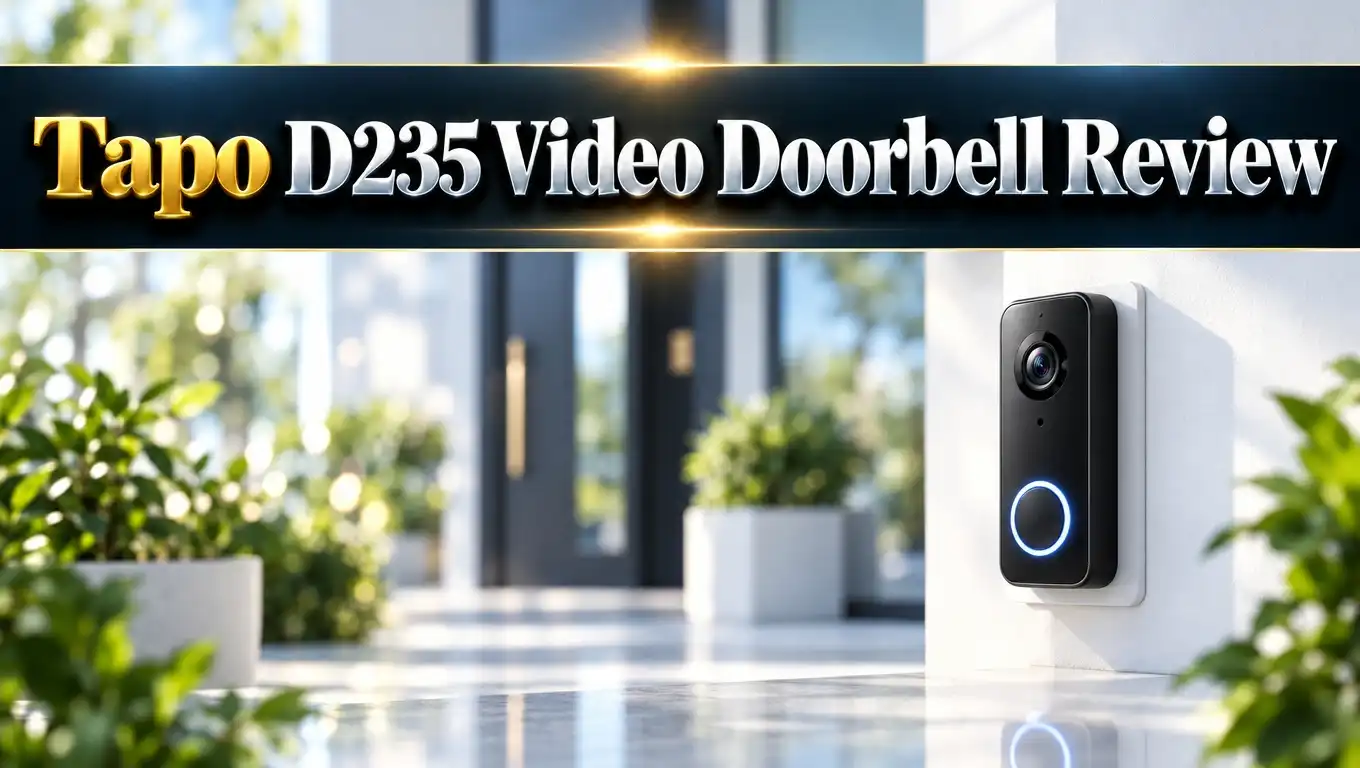
Tapo D235 Video Doorbell Review 2026: All in One Guide
Front door security should not cost a fortune. The Tapo D235 promises sharp 2K video, a huge battery, and no forced monthly fee.
That sounds great on paper. But does it work well in real life?
I checked the specs, expert tests, and owner feedback. This review shows what the D235 does well and where it falls short. You will know by the end if it fits your door.
In a Nutshell:
- Video quality is sharp. The D235 records in 2K 5MP with a wide 180 degree view. You see visitors from head to toe, plus packages on the floor. Color night vision keeps footage clear after dark.
- Setup is simple. You can run it on battery or on existing doorbell wires. A chime comes in the box, and no hub is needed. Most people finish the install in about ten minutes.
- Battery is big but not magic. The 10,000mAh battery is rated for up to 210 days. Busy doors drain it much faster. Plan to recharge every few weeks to a few months.
- AI alerts work without a subscription. The doorbell spots people, pets, vehicles, and packages for free. Local storage on a microSD card up to 512GB keeps your clips private and fee free.
- Some flaws exist. The unit is bulky, and the audio can lag. The app has no two factor login. Cloud storage costs extra if you want it.
- Value is strong. It often sells at a discount, which makes it a solid pick against pricier brands.
Tapo D235 Video Doorbell at a Glance
No products found.
The Tapo D235 is a smart video doorbell from TP-Link. It records in 2K 5MP and shows a wide 180 degree view.
You can power it with a battery or with low voltage doorbell wiring. Both options work well.
The box includes a wireless chime. This is a nice bonus because many rivals charge extra for one. You also get mounting wedges, screws, adhesive pads, and a charging cable.
The D235 does not need a hub. It connects straight to your 2.4GHz home WiFi network. You manage everything in the Tapo app.
The AI spots people, pets, vehicles, and packages. These features are free. You do not pay a monthly fee to get alerts.
The D235 is rated IP66. That means it handles heavy rain and dust. One tester left it outside during strong storms with no problems.
The unit is about 150mm tall and weighs around 301 grams. That makes it a large doorbell. It looks bulky next to slim models from Ring or Google.
List price in the US sits near $190. Sales often drop it much lower. Check the current price before you buy.
Design and Build Quality
The D235 looks plain but practical. It has a black and white face with a clear camera lens at the top. A round button sits below it.
Size is the biggest talking point. The doorbell is tall and thick. Owners on forums call it huge. The large battery explains the bulk.
On a modern door frame, it can look oversized. On a wide wall or gate post, it fits fine. Measure your space before you buy.
The build feels solid. The plastic shell resists weather well. The IP66 rating means water jets will not harm it.
The doorbell clicks onto its mounting plate. This makes charging easy. You pull it off, charge it, and click it back.
That ease has a downside. A thief can also remove it quickly. The D235 has a tamper alert and an anti theft alarm to help.
You can also buy a lock style mount to add protection. Several third party anti theft mounts fit the D235.
Overall, the design favors function over style. If looks matter most to you, a Google Nest doorbell is slimmer. If features matter most, the D235 delivers more for the price.
Installation and Setup
Installing the D235 takes about ten minutes. Testers with basic DIY skills had no trouble. You only need a screwdriver.
The box holds nearly everything. You get a mounting bracket, two angle wedges, screws, anchors, wire nuts, and adhesive pads. A mounting template helps you drill in the right spot.
For battery use, charge the unit first. Charging takes about seven to eight hours. The app shows the battery level, so check it there.
Next, scan the QR code to get the Tapo app. The app guides you step by step. You add the doorbell, join your WiFi, and pair the chime.
Mount the doorbell about four feet above the ground. Use the wedges to angle the view toward your path or driveway. The wide lens makes exact aim less important.
For wired power, you need a transformer rated 8 to 24 volts and at least 10VA. Wiring gives you pre roll recording. That feature saves a few seconds before motion starts.
If you replace an old wired bell, a pro may help. Basic wiring is easy, but safety comes first. Turn off power at the breaker before you touch any wire.
One tip: check your WiFi signal at the door. A weak signal causes lag. A cheap range extender can fix that.
Video Quality Day and Night
Video is the main strength of the D235. The camera records at 2560 by 1920 pixels. Faces, pets, and cars look clear and sharp in daylight.
The lens has an f/1.8 aperture. It lets in lots of light. Testers found bright sun and deep shade both stayed readable in one frame.
The field of view is huge. You see from your visitor’s shoes to the top of their head. You also see packages sitting on the doorstep.
Digital zoom goes up to 16x. It helps you read larger labels in playback. Small text on boxes still looks soft from far away.
At night, the D235 shows full color video. Two infrared LEDs and a spotlight help. The spotlight is not bright enough to scare off intruders, but it adds color to clips.
You can pick from three night modes. Doorbell mode uses infrared until it detects motion. Then it turns on the light and records in color. Infrared mode keeps black and white footage.
One review noted some blockiness in dim light, especially around moving people. It is minor. Most users will find the image quality excellent for the price.
You can also drop resolution to 960p to save battery. That is a handy trade off if power matters more than detail.
Top 3 Alternative for Tapo D235
The D235 faces strong competition. These three doorbells suit different needs. Each one is worth a look before you decide.
Tapo D225
The D225 is the US cousin of the D235. It shares the same body and the same free AI tools. It also offers a wide 180 degree view and a chime. It is a good pick if the D235 is out of stock or pricier.


Last update on 2026-10-27 / Affiliate links / Images from Amazon Product Advertising API
eufy Security Video Doorbell E340
The E340 has two cameras. One looks at faces and one looks down at packages. It has 8GB of built in storage and charges no monthly fee. It is a strong rival for people who want a no subscription doorbell.

Last update on 2026-10-13 / Affiliate links / Images from Amazon Product Advertising API
Ring Battery Doorbell 2K Plus
Ring is the most popular doorbell brand. The newest 2K Plus model has a quick release battery and clear video. It works great with Alexa. Many features need a Ring plan, so costs run higher.

Last update on 2026-09-12 / Affiliate links / Images from Amazon Product Advertising API
Smart AI Detection and Alerts
The AI is a highlight of the D235. It detects motion, people, pets, vehicles, and packages. Each type has its own alert setting.
You can draw activity zones. These tell the camera where to look. A zone on your porch ignores the busy street.
One tester lived five meters from a road. After setting zones, almost every false alarm vanished. Alerts arrived nearly instantly.
Night detection also impressed. The doorbell often noticed a person before they pressed the button. That gives you extra time to react.
There are small flaws. The camera kept flagging passing cars even with the road excluded. The tester had to switch vehicle detection off. It also sometimes labeled bags as packages.
Default sensitivity is high. One reviewer got a motion alert from a plastic bag in the wind. Lowering sensitivity fixed it.
Busy doors create many alerts. One reviewer counted over 500 in sixteen days with workers on site. That is rare, but it shows the system stays active.
You also get five quick replies. If you cannot answer, the doorbell plays a preset message. The auto response is handy for deliveries.
All of this is free. That makes the D235 a great choice if you hate subscriptions.
Audio and Chime Performance
Audio is the weakest part of the D235. It has a speaker and a microphone for two way talk. Noise cancellation is included.
Reviewers noticed lag. You hear a visitor a moment late. Your reply also reaches them after a short delay.
Live audio sometimes dropped in and out. Playback sounded a bit tinny. Wind and bird noise added interference.
Talking to a delivery driver still works. Just speak slowly and leave small pauses. Casual chats feel a bit awkward.
The chime is much better. It is very loud. One tester called the default volume deafening. You can lower it in the app.
You get six ringtones and several volume levels. Place the chime in a central spot. It plugs into a normal wall outlet.
You can also add other Tapo chimes or a Tapo hub. That helps in large homes.
The doorbell supports Alexa and Google Home. An Echo Show can then show your visitor on screen. This gives you another way to answer.
If clear voice calls matter to you, test the audio during the return period. If you mainly want video and alerts, the audio flaw will bother you little.
Battery Life and Power Options
The D235 has a built in 10,000mAh battery. TP-Link rates it for up to 210 days on one charge. Real life results vary a lot.
One tester saw the battery drop to 79 percent in ten days at a busy house. That points to a recharge every seven or eight weeks.
Another reviewer went from 100 to 43 percent in sixteen days. Workers kept triggering the camera. At a quiet house, the battery should last far longer.
Charging takes seven to eight hours through a USB cable. The charger is not included. Any phone charger works.
You must remove the doorbell to charge it. During that time, your door has no camera. Charge while you are home.
Wiring solves this problem. A wired D235 never needs recharging. It also records continuously if you want that.
You can also trickle charge the battery from a transformer. This keeps the unit topped up with little effort.
To save battery, lower the sensitivity. Turn off alerts you do not need. Use 960p video if needed.
Overall, the battery is among the largest in this category. Just treat the 210 day claim as a best case.
Storage and Subscription Costs
The D235 gives you two ways to store video. You can use a microSD card or the Tapo Care cloud. Both work well.
A microSD card goes up to 512GB. It is not included, so buy one. Local storage costs no monthly fee. Your clips stay at home.
There is one risk. If a thief steals the doorbell, the card goes with it. The cloud solves that problem.
Tapo Care costs about $3.49 per month after a free trial. It stores events for 30 days. It adds video summaries and rich alerts with snapshots.
That price is lower than Ring. Ring plans start at $4.99 per month. Ring also locks many features behind its plan.
With the D235, the core features are free. Live view, AI alerts, and zones all work without a plan. That is a big win.
You can also use the Tapo H200 hub. It accepts a microSD card and stores video for several cameras. It also adds a chime. A hub helps if you own many Tapo devices.
For most people, a microSD card is the best deal. A good high endurance card costs less than a few months of cloud.
One note on privacy: the app does not offer two factor login. Use a strong, unique password.
App and Smart Home Integration
The Tapo app is simple and fast. Reviewers called it stable and easy to use. It loads quickly and keeps live view smooth.
You can browse clips by type. Filters show only people, cars, pets, or packages. That saves time.
Privacy zones let you block your neighbor’s property. You draw a box with your finger. You can also use Privacy Mode to turn off streaming.
You can set schedules in hourly blocks. The doorbell can skip recording, record on events, or record all day. All day recording needs wired power.
You can share access with up to five family members. They can watch live view and talk. They cannot change settings.
On Android, you can add a widget. It shows a fresh snapshot of your door. One tap opens the live feed.
Smart home support is good. The D235 works with Alexa, Google Home, and Samsung SmartThings. It can also trigger other Tapo devices. For example, a Tapo bulb can turn on when someone rings.
It does not support Matter or Apple HomeKit. If you use Apple Home, look at other models.
The doorbell needs 2.4GHz WiFi. It does not connect to 5GHz networks. A UK review also found that it did not support channels 12 and 13.
Pros and Cons
Here is a quick summary of what stands out after weeks of testing and owner feedback.
Pros:
- Sharp 2K 5MP video with a wide 180 degree view that shows visitors from head to toe and packages on the ground.
- Free AI alerts for people, pets, vehicles, and packages, with activity zones that cut false alarms.
- A large 10,000mAh battery that can last months at a quiet home, plus a wired option for nonstop power.
- A loud wireless chime is included in the box, and no hub is required.
- Local storage on a microSD card up to 512GB means no required monthly fee.
- Easy setup in about ten minutes, with helpful mounting wedges and an app that guides you.
- Good value, since sales often cut the price well below the list price.
Cons:
- The unit is big and bulky, so it may look oversized on slim door frames.
- Audio has lag and interference, which makes two way talk feel awkward.
- Battery life drops fast at busy doors, and you must remove the unit to charge it.
- Vehicle alerts can be too eager, and default motion sensitivity is high.
- The app has no two factor login, and it does not support Matter.
- It works only on 2.4GHz WiFi, and the quick release mount can invite theft.
Is the Tapo D235 Worth Buying?
No products found.
For most homes, yes. The D235 gives you top video quality, free smart alerts, and a bonus chime at a fair price. Few rivals match that mix.
It suits renters well. You can install it with adhesive or screws and no wiring. When you move, you take it along.
It also suits homeowners with wired bells. Wiring ends the charging chore and adds pre roll recording. That makes it a stronger security tool.
It is a great pick if you dislike subscriptions. A microSD card covers storage. The AI features cost nothing.
It is not the best pick for everyone. If you want a slim, stylish doorbell, look at Nest or Ring. If you want crystal clear voice calls, test the audio first.
Busy doors also need extra care. Heavy foot traffic drains the battery. Wiring is smart for those homes.
Compared with Ring, the D235 costs less over time. Compared with eufy, it offers a similar no fee deal. The choice comes down to size, audio, and your smart home setup.
My verdict is simple. The Tapo D235 is one of the best value video doorbells you can buy in 2026. Buy it on a sale if you can.
FAQs
Does the Tapo D235 need a subscription?
No. Live view, AI alerts, and local recording all work for free. Tapo Care cloud storage is optional and costs about $3.49 per month after the trial.
How long does the Tapo D235 battery last?
TP-Link rates it for up to 210 days. Real use is shorter. Busy doors may need a recharge every few weeks. Quiet homes can go for months.
Can I wire the Tapo D235 to my existing doorbell?
Yes. It works with 8 to 24 volt wiring and a transformer of at least 10VA. Wired use gives you pre roll recording and continuous recording options.
Does the Tapo D235 need a hub?
No. It connects straight to your 2.4GHz WiFi. A Tapo hub is optional. It adds extra storage and chime options.
What is the maximum microSD card size?
The D235 supports microSD cards up to 512GB. The card is sold separately. Use a high endurance card for the best results.
Does the Tapo D235 work with Alexa and Google Home?
Yes. It works with Alexa, Google Home, and Samsung SmartThings. You can see alerts and live view on smart displays. It does not support Matter or HomeKit.
Is the Tapo D235 waterproof?
It has an IP66 rating. That protects it from dust and strong water jets. It handled heavy rain and wind in testing.
How does the Tapo D235 compare with the Tapo D225?
They are very close. The D235 is the version sold in some regions, while the D225 is common in the US. Both offer a wide view, a chime, and free AI.

Eulalia is a passionate home improvement enthusiast with years of experience testing and reviewing home products to help families make informed purchasing decisions. Through HomeReviewer.blog, she shares honest, detailed reviews and practical guides to create better living spaces for everyone.