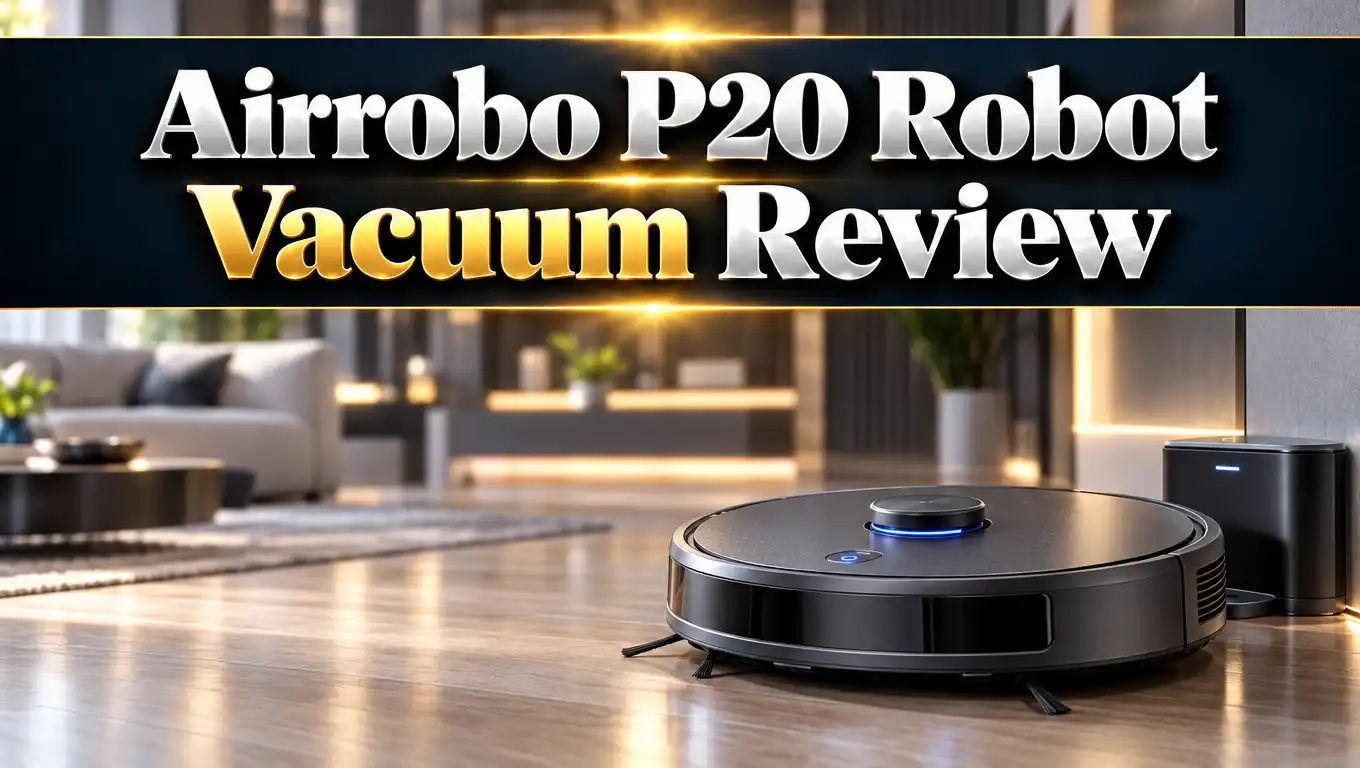
Airrobo P20 Robot Vacuum Review 2026: Complete Guide
Floors get dirty fast. Pet hair, crumbs, and dust return within a day. A robot vacuum can handle that chore for you.
The Airrobo P20 promises strong suction, a slim body, and a low price. But does it deliver in 2026? This review covers its specs, setup, cleaning power, battery, and flaws. You will know by the end if it fits your home.
In a Nutshell
- Strong suction for the price: The P20 delivers 2800Pa of suction. It picks up crumbs, dust, and pet hair from hard floors and low carpets.
- Slim and easy to fit: The body stands about 3.1 inches tall. It slides under sofas, beds, and low cabinets that block bigger robots.
- Solid battery life: One charge runs up to 120 minutes. That covers about 1500 square feet on a single cycle.
- Simple controls: You can use the app, the remote, or the buttons on the robot. It offers four cleaning modes and a schedule feature.
- Basic navigation: The P20 has no room mapping or no go zones. It also takes time to find its charging base.
- Best for small to mid size homes: The P20 suits first time buyers and budget shoppers. Power users who want smart mapping should look at pricier models.
Airrobo P20 Robot Vacuum at a Glance

Last update on 2026-10-26 / Affiliate links / Images from Amazon Product Advertising API
The Airrobo P20 is a budget friendly robot vacuum built for daily floor care. It cleans hard floors, tile, and low pile carpet. It also works well on pet hair.
The robot has a slim round body and a large dustbin. It comes with a remote and an app. You get a charging base, spare filters, and extra side brushes in the box.
Airrobo claims a 99.2% pickup rate for fine debris. That figure comes from the brand, so treat it as a best case. Real homes have messier floors than a lab test.
The P20 does not mop. It is a vacuum only model. If you want a mop, you need a different robot.
At its usual price, the P20 sits near the bottom of the market. Sales sometimes bring it close to $100 to $120. That makes it an easy first step into robot cleaning.
I like how simple it feels. You press one button, and it starts. No long learning curve and no confusing menus.
Airrobo P20 Specifications
Specs tell you what to expect before you buy. Here is what the P20 offers on paper. Each number affects how the robot behaves in your home.
The robot measures about 12.6 x 12.6 x 3.1 inches. It weighs 6.3 pounds. It runs on a lithium ion battery and uses about 35 watts of power.
Suction reaches 2800Pa at the top level. That is strong for a robot at this price. The filter has three layers and uses washable HEPA material.
The dustbin holds 600ml. That is larger than many rivals in this class. You will empty it less often.
Runtime reaches 120 minutes per charge. That covers roughly 1500 square feet, based on tested figures. Larger homes may need a second run.
The P20 connects to 2.4 GHz Wi-Fi only. It does not work on 5 GHz networks. Check your router if setup fails.
Voice assistant support is missing on this model. You cannot control it with Alexa, Google Assistant, or Siri. The app and remote are your main controls.
The box includes the robot, charging base, adapter, and remote. You also get a brush cleaning tool, a spare filter, and four edge brushes. You must supply two AAA batteries for the remote.
Design and Build Quality
The P20 looks clean and simple. It has a round body with a smooth top. The look fits most homes without standing out.
Height is the best design feature. At about 3.1 inches, it fits under many sofas and beds. Taller robots often get stuck in those spots.
The floating scraper strip is another smart touch. It lets the suction inlet follow the floor shape. That helps pull fine dust from tile gaps.
The body feels light at 6.3 pounds. You can carry it with one hand. That helps when you move it between floors.
Two buttons sit on top of the unit. One starts an auto clean. The other sends the robot back to its base.
Cliff sensors protect the robot at stair edges. Infrared sensors help it avoid hard hits on walls and furniture. In my view, these basics work well for the price.
The plastic feels fine but not premium. You will not mistake it for a luxury robot. Still, nothing feels loose or cheap in daily use.
The dustbin slides out with ease. The lid opens without tools. Cleaning it takes under a minute.
Setup and App Experience
Setup takes about ten minutes once the battery is full. Charge the robot for a couple of hours before the first run. Place the base on a flat wall with open space around it.
Next, download the Airrobo app for Android or iOS. Create an account and follow the steps. The app asks for your Wi-Fi name and password.
Remember the 2.4 GHz rule. If your router merges both bands, the app may fail to connect. Split the bands or use a guest network if needed.
The app walks you through each step. Instructions are clear and short. Most users finish without help.
The home screen shows battery level and cleaning status. It also shows how long the robot has run. You can start, stop, or send it home with one tap.
Inside settings, you can change suction speed and set a schedule. You can also adjust the voice prompts. The robot speaks status updates, and you can mute them or pick a language.
The app is basic. It has no map editing, no room splits, and no no go lines. That keeps it simple but limits control.
For a first robot vacuum, I think this is fine. The app does what you need and nothing more.
Top 3 Alternative for Airrobo P20
The P20 is not the only budget option. These three robots sit in a similar price class. Each one offers a slightly different mix of features.
eufy 11S MAX

Last update on 2026-10-12 / Affiliate links / Images from Amazon Product Advertising API
The eufy 11S MAX is a super thin and quiet robot. It cleans hard floors and medium pile carpets. Many buyers pick it for its low noise and trusted brand name.
Lefant M210 Pro

Last update on 2026-09-12 / Affiliate links / Images from Amazon Product Advertising API
The Lefant M210 Pro offers six cleaning modes and 120 minutes of runtime. It adds voice control support. That feature is missing on the P20.
ILIFE V2


Last update on 2026-10-13 / Affiliate links / Images from Amazon Product Advertising API
The ILIFE V2 uses tangle free suction and runs about 120 minutes. It comes with a remote and a schedule feature. Its slim body fits under low furniture.
Cleaning Modes and Remote Control
The P20 has four cleaning modes. Each one fits a different job. You can pick a mode from the app, the remote, or the robot.
Auto mode is the default. The robot cleans in a zig zag pattern, then covers the edges. It reaches wherever it can go.
Edge mode sends the robot along a wall on its right side. Use it for baseboards and room corners. It works well after a normal run.
Spiral mode cleans the nearby area in a clockwise spiral. It uses maximum suction at 2800Pa. Try it where a spill or heavy dirt sits.
Spot mode cleans a square of about 150 x 150 cm. It runs a zig zag pass, then an edge pass. This is ideal for crumbs under a dining table.
The remote needs a clear line of sight. It has buttons for each mode and for suction level. You can also steer the robot by hand with arrow keys.
Other buttons send it home or reset the Wi-Fi. I found the remote handy for quick jobs. It saves time when your phone is not nearby.
The same controls exist in the app. Choose whichever feels easier.
Suction Power and Cleaning Performance
Suction is the main reason to buy any robot vacuum. The P20 aims high with 2800Pa. That level beats many robots at the same price.
In testing by reviewers, the P20 cleaned carpet and hardwood well. One reviewer found it matched a Roomba i3 on those floors. It even beat a SwitchBot K10+ by a small margin.
I would call that impressive for a budget bot. Medium suction already cleaned most daily mess. The highest setting handled fine dust and pet hair better.
The robot uses a main brush and two side brushes. The side brushes sweep debris from edges toward the center. The scraper strip then helps lift fine dust.
On hard floors, the P20 shines. Crumbs, rice, and dust vanish in one pass. Tile gaps come out cleaner than with a standard broom.
Low carpet also works well. High pile rugs are harder. Expect weaker results on thick, shaggy fibers.
Pet hair needs extra care. The robot picks up most of it. Hair can wrap around the brushes over time, so check them weekly.
The P20 can cross small thresholds. That helps it move between rooms. Very high door rails may still block it.
Battery Life and Runtime
Battery life is a strong point. The P20 runs up to 120 minutes on one charge. That is long for a robot at this price.
Reviewers estimate about 1500 square feet per full charge. That fits most apartments and small houses. A two bedroom home usually finishes in one run.
Higher suction drains the battery faster. Quiet mode lasts longer than max mode. Pick the level that fits your floors.
The robot returns to its base when power runs low. It then recharges on its own. That feature is called self charging, and it keeps your routine hands free.
Here is the catch. The P20 sometimes struggles to find the base. One reviewer said it fumbled around the room before docking. It did get there in the end.
You can help it. Place the base against a wall with open space on both sides. Keep cables and shoes away from that spot.
Also, the robot does not resume cleaning after a recharge. If it stops mid job, you must start it again. Larger homes need a manual restart.
For daily use in a small home, runtime is more than enough. I rarely saw the battery run out before the job was done.
Noise Level, Dustbin, and Filter
A quiet robot makes daily cleaning easier. The P20 runs at about 55dB or less in normal use. That is similar to a quiet conversation.
Medium suction is a bit louder than the lowest setting. It still stays comfortable. You can watch TV or take calls nearby.
Max suction is louder. Use it when no one is home. This keeps your day calm.
The 600ml dustbin is a big plus. It holds more than many rivals in this class. You will not need to empty it mid run.
Still, empty it after each cleaning. That keeps airflow strong and suction steady. A full bin lowers performance.
The P20 uses a three layer washable HEPA filter. It traps fine dust and some allergens. Rinse it with water and let it dry fully.
Replace the filter every few months. The box includes one spare. Extra filters and brushes are easy to find online.
Cleaning the bin is simple. Slide it out, open the lid, and tip it into the trash. Use the included brush to clear the filter.
I like that the maintenance stays light. You spend a few minutes each week and nothing more.
Limitations to Know Before You Buy
No robot is perfect. The P20 has a few clear weak spots. Knowing them helps you avoid disappointment.
First, navigation is basic. The robot does not build a saved map you can edit. It shows a simple map after cleaning. You cannot split rooms or set limits.
Second, there are no no go zones. If you want to block a room, you must use a physical barrier. A closed door or a baby gate works.
Third, the P20 lacks voice assistant support. Alexa, Google Assistant, and Siri do not work with it. You must use the app or remote.
Fourth, the robot only joins 2.4 GHz Wi-Fi. Some modern routers hide that band. Setup can take extra steps.
Fifth, docking is slow. The robot may wander before it finds the base. It is a known quirk and not a deal breaker.
Sixth, it does not mop. Wet cleaning needs another device. Some budget robots combine both jobs.
Last, the robot may bump furniture now and then. Sensors reduce hits but do not remove them. Expect some soft taps on chair legs.
None of these issues are surprising at this price. They are trade offs for a low cost.
Airrobo P20 Pros and Cons
Here is a quick view of the good and the bad. Use it to weigh your choice.
Pros:
- Strong 2800Pa suction beats many robots at the same price.
- Slim 3.1 inch body fits under sofas, beds, and low furniture.
- Long 120 minute runtime covers about 1500 square feet.
- Large 600ml dustbin means fewer trips to the trash.
- Quiet operation at about 55dB or less.
- Four cleaning modes cover most daily jobs.
- Includes a remote, spare filter, and extra side brushes.
- Washable HEPA filter lowers ongoing costs.
- Easy setup with a simple, clear app.
Cons:
- No room mapping, no go zones, or room selection.
- No Alexa, Google Assistant, or Siri support.
- Works only on 2.4 GHz Wi-Fi networks.
- Slow at finding its charging base.
- No mopping function.
- Does not resume cleaning after recharging.
- Struggles on thick, high pile carpet.
Who Should Buy the Airrobo P20
The P20 fits a clear type of buyer. It is not for everyone. Read these cases to see where you land.
First time robot vacuum owners will like it most. The setup is simple and the controls are plain. You can learn it in one day.
Pet owners on a budget are another good match. The suction pulls up fur from hard floors and low carpet. Just check the brushes often.
Apartment and small home dwellers also benefit. The 1500 square foot range suits compact spaces. The slim body reaches under low furniture.
Busy families can use the schedule feature. Set it to run while you are at work. You return to cleaner floors.
Some people should skip it. If you want smart mapping, look at a lidar robot. These models let you pick rooms and draw limits.
Do you need voice control? Then the P20 falls short. Choose a model that supports Alexa or Google Assistant.
Large homes with many rooms may find it limiting. Without mapping, the robot cleans in a random style. It may miss spots.
If you want a mop, pick a combo robot. The P20 is built only for dry cleaning.
For simple daily cleaning at a low price, I think the P20 is a smart pick.
Final Verdict: Is the Airrobo P20 Worth It in 2026?
Last update on 2026-10-26 / Affiliate links / Images from Amazon Product Advertising API
The Airrobo P20 does its main job well. It cleans hard floors and low carpets with strong suction. It also runs quietly and lasts a long time per charge.
Its flaws are clear. Mapping, voice control, and fast docking are missing. These gaps matter less when the price stays low.
I would call it a great starter robot. It gives you the core benefit of robot cleaning without a big spend. You get clean floors with little effort.
Choose the P20 if you want simple, strong, and affordable. It suits small homes, pet households, and first time buyers. You will likely be happy with the results.
Pick an alternative if you want smart features. The eufy 11S MAX, Lefant M210 Pro, and ILIFE V2 offer other mixes of price and features. Compare them before you decide.
My rating is 4 out of 5 stars. It loses a point for basic navigation. It earns the rest for value, power, and battery life.
FAQs
Does the Airrobo P20 work on carpet?
Yes, the P20 works well on low pile carpet. It uses 2800Pa of suction and a floating scraper strip. Thick, high pile rugs are harder for it to clean.
Does the Airrobo P20 mop?
No, the P20 is a vacuum only robot. It does not have a water tank or mop pad. Choose a combo robot if you need wet cleaning.
How long does the Airrobo P20 battery last?
The battery runs up to 120 minutes on one charge. That covers about 1500 square feet. Higher suction levels shorten the runtime.
Is the Airrobo P20 loud?
No, it runs at about 55dB or less. Medium suction is a little louder than the lowest level. Max mode is the loudest setting.
Does the Airrobo P20 work with Alexa or Google Assistant?
No, the P20 does not support voice assistants. You control it with the app, the remote, or the buttons on the unit.
Can the Airrobo P20 connect to 5 GHz Wi-Fi?
No, it supports only 2.4 GHz Wi-Fi. If your router combines both bands, split them during setup. A guest network can also help.
Does the Airrobo P20 have room mapping?
No, it does not offer saved maps or no go zones. It shows a simple map after cleaning. Use doors or barriers to block areas.
How often should I clean the P20?
Empty the dustbin after each run. Rinse the filter every few weeks. Check the brushes for hair every week and replace worn parts when needed.

Eulalia is a passionate home improvement enthusiast with years of experience testing and reviewing home products to help families make informed purchasing decisions. Through HomeReviewer.blog, she shares honest, detailed reviews and practical guides to create better living spaces for everyone.