
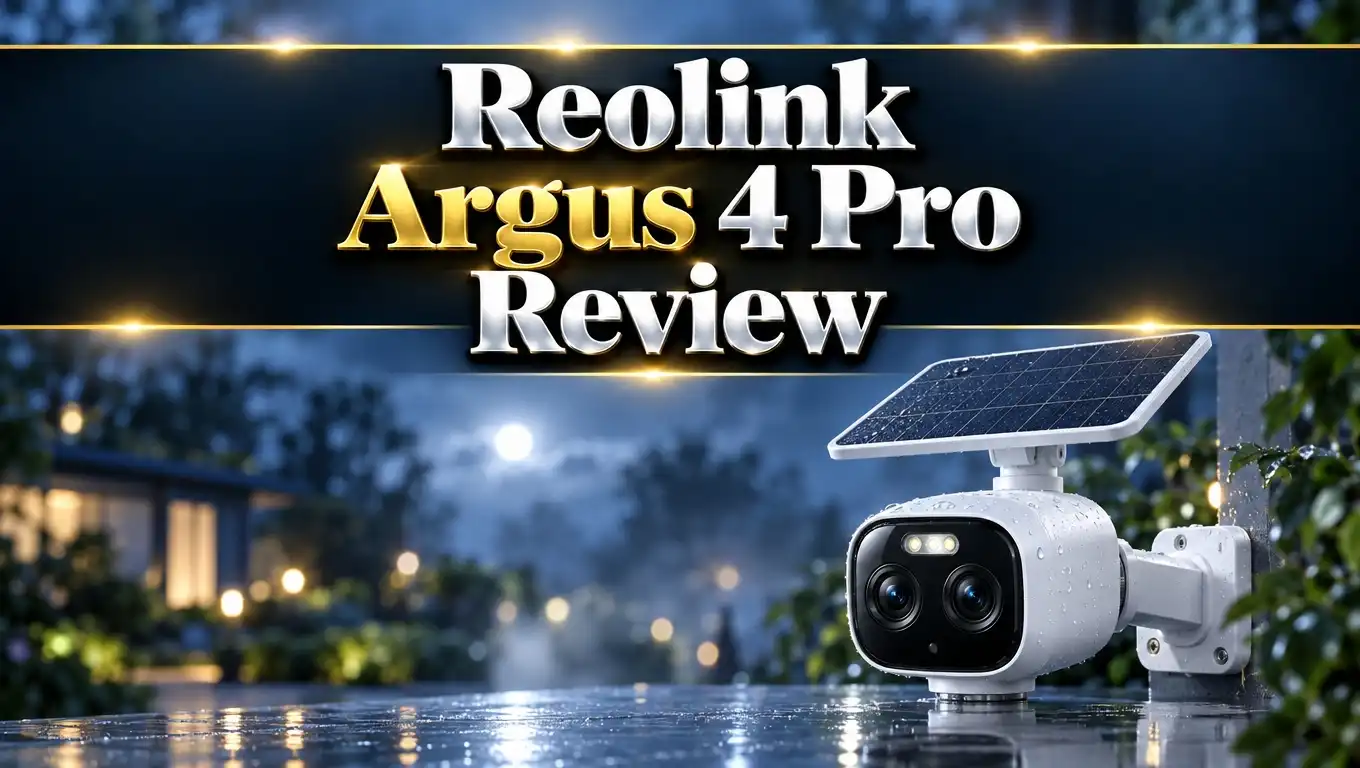
Reolink Argus 4 Pro Review 2026: Ultimate Guide
Do you want one camera that covers your whole front yard? Most battery cameras show a narrow slice of your home. You end up buying two or three to cover the driveway, the door, and the street.
The Reolink Argus 4 Pro tries to fix this with two lenses in one body. It stitches them into a 180 degree view with 4K detail. It also adds color night vision and works without a monthly fee.
I looked at the specs, expert tests, and owner feedback. This review shows what works, what does not, and who should buy it. Read on to find out if this camera fits your home.
In a Nutshell:
- Wide 180° view in one camera: Two 4mm lenses create one 5120 x 1440 image. One unit can cover a full driveway or the front of a house.
- ColorX night vision is the star: A large sensor and an F/1.0 lens produce color video in low light. You do not need bright spotlights to see colors at night.
- No subscription needed: Person, vehicle, and animal detection are free. You can store video on a microSD card up to 512GB.
- Battery life is decent, not amazing: A PCMag tester got just under three weeks on one charge. The Solar Panel 2 (sold separately) fixes this in sunny spots.
- Some limits exist: The camera records at 15 frames per second. It records on motion only, and it has no infrared fallback in total darkness.
- Best for: Homeowners who want wide coverage, no wires, and no monthly bill. People who need smooth 24/7 recording should look at a wired camera.
Reolink Argus 4 Pro Overview
No products found.
The Reolink Argus 4 Pro is a wireless outdoor camera with two lenses. Each lens captures part of the scene. The camera joins both parts into one wide image inside the device.
The final video is 5120 x 1440 pixels. The field of view is 180 degrees wide and 50 degrees tall. That is much wider than a normal single lens camera.
Power comes from a 5000mAh rechargeable battery. You can add the Reolink Solar Panel 2 to keep it charged. The camera has an IP66 rating, so rain and dust do not hurt it.
Reolink lists the price at about $350 to $420 depending on sales. That is higher than most battery cameras. The price covers two lenses, WiFi 6, and free smart features.
The camera works with Amazon Alexa and Google Home. It also pairs with the Reolink Home Hub for shared local storage. You get a two year warranty from Reolink.
This camera suits people who hate blind spots. It also suits people who hate subscriptions. Both groups will like what Reolink built here.
Design and Build Quality
The Argus 4 Pro looks like a small robot head. The two lenses sit side by side like eyes. Some reviewers say it looks like a sci fi movie prop.
The body measures 127 x 74 x 82mm. It weighs about 400 grams. That is heavier than the Argus 3 Pro, but still easy to mount.
The back holds a speaker and a USB C charging port. Rubber seals protect the port from water. The thin seal means you must use a slim USB C plug.
A flexible bracket comes in the box. You can tilt the camera up, down, left, or right. You can adjust the view after install without removing the bracket.
The microSD slot sits at the bottom. It also holds the reset and pairing switch. Both are sealed against weather.
The camera comes in white and black. The white one blends into light walls and eaves. The black one looks sharper on dark siding.
The build feels solid and the plastic feels sturdy. Some owners report lens fogging in humid weather. Keep that in mind if you live near water or in a wet climate.
Setup and App Experience
Setup takes about ten minutes. You use the Reolink app on your phone. The camera pairs over Bluetooth, which is faster than the old QR code method.
First, charge the camera and open the app. Then add the device and join your WiFi network. The camera supports both 2.4GHz and 5GHz bands.
Next, pick your alert settings and mount the camera. One person can handle a normal door height install. A second person helps if you mount it high.
The app is clear and simple. You get live view, an event timeline, and two way talk. You can also trigger the siren and the spotlights.
Detection zones are easy to draw. You can set sensitivity for each zone. You can also set schedules to mute alerts at certain times.
The live view feels smooth in the app. Remember that video runs at 15 frames per second. Fast objects can look a bit blurry.
Voice control works with Alexa and Google Home. Home Assistant users report success too. Some testers could not get ONVIF working, so check this if you need it.
Top 3 Alternative for Reolink Argus 4 Pro
The Argus 4 Pro is not right for every home. Some buyers want a camera that moves. Others want a plug in camera with more pixels. Here are three good options.
The Eufy SoloCam S340 uses two lenses with a pan and tilt motor. It covers 360 degrees and tracks moving people. It also comes with a built in solar panel, which saves you a purchase.

Last update on 2026-10-26 / Affiliate links / Images from Amazon Product Advertising API
The Reolink Duo 3 WiFi has a 16MP dual lens setup and a 180 degree view. It plugs into wall power, so you never charge a battery. It records at higher detail than the Argus 4 Pro.


Last update on 2026-09-12 / Affiliate links / Images from Amazon Product Advertising API
The Reolink Argus PT Ultra is a cheaper pan and tilt camera. It shoots in 4K and covers 360 degrees by turning. It also works with a solar panel and costs far less.

Last update on 2026-10-28 / Affiliate links / Images from Amazon Product Advertising API
Pick the Eufy if you want tracking and a bundled solar panel. Pick the Duo 3 if you want the sharpest image and can use a power outlet. Pick the Argus PT Ultra if you want a low price.
Pick the Argus 4 Pro if you want one fixed wide view without wires. It fits a front door or garage best. It also keeps you inside the Reolink app.
Daytime Video Quality
Daytime video looks sharp across the full width. The 4K panorama has enough detail to spot faces at normal driveway distance. You can also read license plates at closer range.
The two lenses join into one clean image. The stitching happens inside the camera. You do not see a visible seam in the middle.
Colors look natural in bright light. Grass looks green and cars show their real paint color. Contrast stays strong in sunny scenes.
The edges show a little distortion. Ultra wide lenses always do this. The center 160 degrees stays the most reliable for identifying people.
The frame rate is the main weakness. The camera records at 15 frames per second. Fast motion looks a little choppy next to 30 frames per second cameras.
This trade off helps the battery. Lower frame rates use less power and less storage. Still frames from the video remain useful for identification.
If you want movie smooth footage, this is not your camera. If you want clear proof of who walked up your drive, it does the job well. Most home security needs fall into the second group.
ColorX Night Vision Performance
Night video is the best part of this camera. ColorX combines a 1/1.8 inch sensor with an F/1.0 lens. Reolink says this captures about four times more light than standard hardware.
In real use, it shows color video in low ambient light. A street with weak lighting still looks clear. Most battery cameras switch to gray infrared video in the same scene.
One tester mounted it on a garage facing a dim street. The camera showed clear color footage of passing cars. A user in Spain saw the same result with only a small LED nearby.
The camera also has built in spotlights. They turn on in complete darkness. They restore color when ColorX runs out of light.
This design has one catch. The Argus 4 Pro has no infrared fallback mode. In a pitch black yard with no lights, you must use the spotlights.
Spotlights can wake neighbors or scare off wildlife you wanted to record. Think about your lighting before you buy. A porch light or street lamp nearby makes ColorX work best.
ColorX also saves power. It avoids running infrared LEDs all night. Reolink claims about 30 percent more standby time than similar infrared cameras.
Battery Life and Solar Charging
The camera holds a 5000mAh battery. Battery life depends on how often motion triggers recording. Cold weather, live viewing, and spotlight use also drain it.
A PCMag reviewer got just under three weeks on one charge. That is fine but not great. The reviewer advised buying the solar panel or using wall power.
Charging is fast. Reolink says 10 minutes on USB C adds about 24 hours of use. That helps when you bring the camera inside for a top up.
The camera works with the Reolink Solar Panel 2. This 6W panel connects through USB C. The older 3W Reolink panel does not fit this camera.
One owner in Spain reported a charge from 20% to 80% in three hours. The day was cloudy. That shows the panel works even without full sun.
Place the panel where it gets 3 to 4 hours of direct light. Angle it slightly upward for the best result. Shaded or north facing spots will not keep up.
You can also plug the camera into constant USB C power. This keeps the battery full. It does not turn on 24/7 recording, because the camera still records on motion only.
Smart Detection and Storage
The camera detects people, vehicles, and animals. It uses AI to filter alerts. You get fewer false alarms from leaves and shadows.
All of this is free. No subscription is needed for smart alerts. That saves money over time.
Testers saw low false alerts at a front door. One windy night caused some trigger errors from trees. Lowering the sensitivity in the app fixed it.
The PIR motion sensor covers 170 degrees. That closely matches the lens view. Motion at the edge of the frame still triggers recording.
You can draw custom zones in the app. You can skip the busy street and watch only your lawn. You can also set quiet hours.
Storage works through a microSD card. The camera supports cards up to 512GB. Footage stays on your device and under your control.
Reolink Cloud is optional. You do not need it for any core feature. The Reolink Home Hub adds shared local storage for several cameras.
The Home Hub also adds cross camera tracking. A person seen by the Argus 4 Pro can trigger other cameras. This helps homes with several Reolink units.
Reolink Argus 4 Pro Pros and Cons
Every camera has strengths and weak spots. Here is a clear summary based on specs and tests. Use it to match the camera to your needs.
Pros:
- The 180 degree dual lens view covers a driveway or front yard from one spot.
- The 4K image (5120 x 1440) shows strong detail in daylight.
- ColorX night vision gives color video without bright spotlights in ambient light.
- Person, vehicle, and animal alerts are free with no subscription.
- MicroSD storage supports cards up to 512GB.
- Fast charging adds a day of use in 10 minutes.
- The IP66 rating handles rain and dust.
- WiFi 6 and Bluetooth setup make install quick.
Cons:
- The camera records at 15 frames per second, so fast motion looks choppy.
- There is no infrared mode for completely dark places.
- It records on motion only and cannot do 24/7 recording.
- Battery life reached just under three weeks in one test.
- The Solar Panel 2 costs extra.
- Cold weather lowers battery performance.
- The price is higher than most battery cameras.
Reolink Argus 4 Pro vs Argus 3 Pro
Many buyers compare these two models. The Argus 4 Pro is a real upgrade and not a small refresh. Several core parts changed.
The field of view jumped from 105 degrees to 180 degrees. Resolution rose from 5MP to 8MP in a panoramic frame. The sensor grew from 1/2.7 inch to 1/1.8 inch.
The aperture went from F/1.6 to F/1.0. This lets in far more light. It is the reason night video looks better.
The Argus 4 Pro uses WiFi 6, while the 3 Pro uses WiFi 4. Setup moved from QR code scanning to Bluetooth. The weather rating moved from IP65 to IP66.
The PIR range also grew from 100 degrees to 170 degrees. The solar panel changed too. The 4 Pro needs the 6W USB C panel.
The Argus 3 Pro still wins in one area. It has infrared night vision as a fallback. It also has a slightly larger battery, at 5200mAh.
Upgrade if you want wider coverage and better night color. Stay with the 3 Pro if you rely on infrared in a fully dark area. The 3 Pro also costs less.
Is the Reolink Argus 4 Pro Worth the Price?
No products found.
The price depends on sales, but it usually sits between $350 and $420. That feels high for a battery camera. The value shows up when you look at what you get.
You get two lenses, ColorX, WiFi 6, and free AI alerts. You also get local storage and a two year warranty. You pay no monthly fee.
Many cameras charge about $10 per month for cloud features. That adds $240 over two years. This closes the price gap with cheaper rivals.
One Argus 4 Pro can also replace two single lens cameras. That saves money on hardware and installs. It also means one app view instead of two.
The Solar Panel 2 adds to the cost. Most buyers will want it. Count it in your budget.
Some buyers can spend less. If you only need wide coverage, the Duo 3 WiFi offers more pixels for less. If you only need color night vision, the standard Argus 4 costs less.
The price makes sense if you want wide view, no wires, and no subscription together. That mix is rare. For those buyers, the camera offers fair value.
Final Verdict
The Reolink Argus 4 Pro does a few things very well. It covers a wide area from one spot. It shows color at night without harsh lights.
It also saves money over time. There is no subscription. Smart alerts and local storage come free.
The camera has limits. It runs at 15 frames per second. It records on motion only, and it has no infrared fallback.
Battery life is fine with the solar panel. Without it, plan to recharge about every three weeks. Sunny homes will enjoy a near set and forget setup.
I recommend it for homeowners with a wide front yard or driveway. I also recommend it for people who want a clean install with no cables. Add the Solar Panel 2 for the best experience.
Skip it if you need smooth video or 24/7 recording. A wired PoE camera suits that job better. Skip it too if your mount point sits in deep shade.
Overall, the Argus 4 Pro earns a strong recommendation for its target buyer. It solves the blind spot problem in a simple way. Check current pricing before you buy, since sales often drop the cost.
FAQs
What solar panel works with the Reolink Argus 4 Pro?
The Reolink Solar Panel 2 (6W) works with this camera. It connects through USB C. The older 3W Reolink panel uses a different connector and does not fit.
How long does the Reolink Argus 4 Pro battery last?
Battery life depends on motion events, weather, and live view use. One tester got just under three weeks on a full charge. A solar panel can extend this a lot in sunny spots.
Does the Reolink Argus 4 Pro need a subscription?
No, it does not. Person, vehicle, and animal detection are free. You can store video on a microSD card up to 512GB.
Does the Reolink Argus 4 Pro record 24/7?
No, it records on motion only. This is true even when you plug it into USB C power. For 24/7 recording, pick a wired PoE camera.
Does the Reolink Argus 4 Pro have night vision?
Yes, it has ColorX night vision. It shows color video in low ambient light. Built in spotlights turn on in complete darkness.
Is the Reolink Argus 4 Pro easy to set up?
Yes, setup takes about ten minutes. You pair the camera over Bluetooth in the Reolink app. Then you join WiFi and mount it with the included bracket.

Eulalia is a passionate home improvement enthusiast with years of experience testing and reviewing home products to help families make informed purchasing decisions. Through HomeReviewer.blog, she shares honest, detailed reviews and practical guides to create better living spaces for everyone.
