
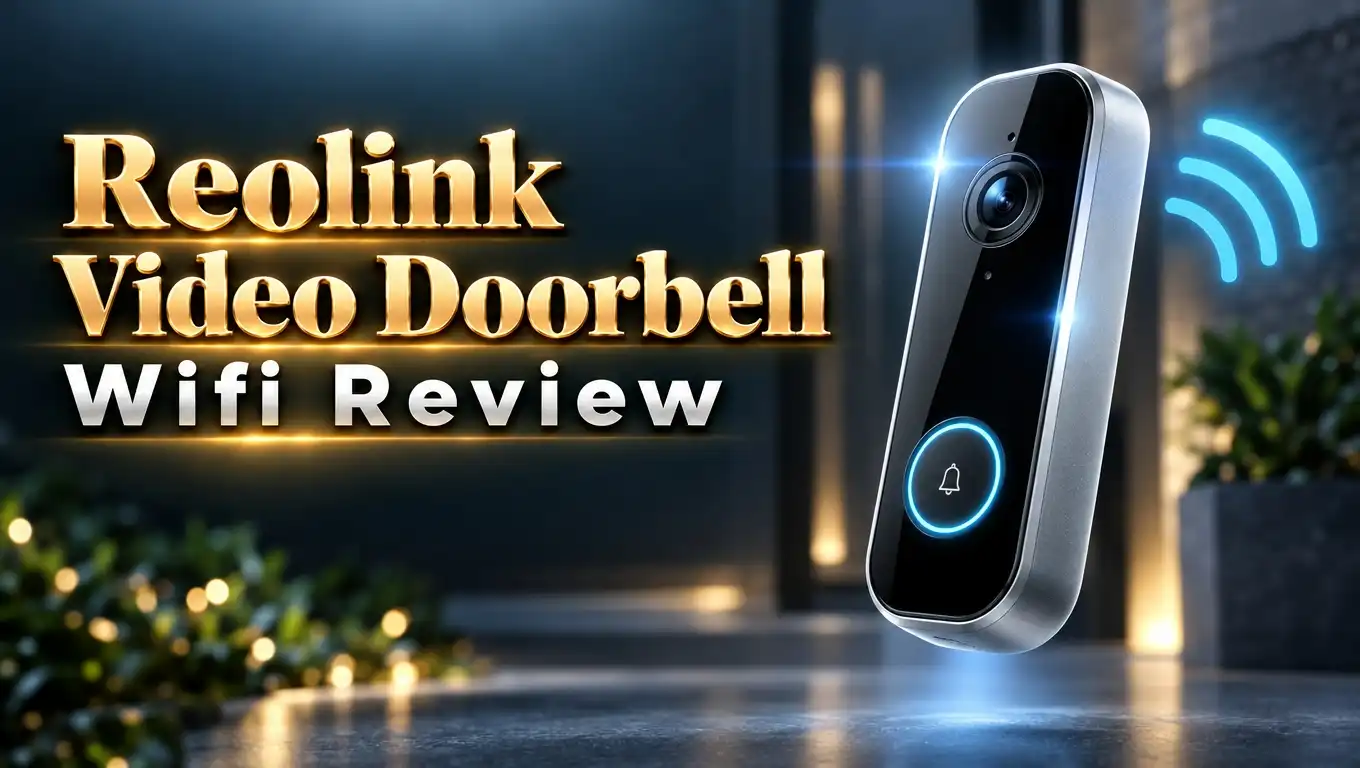
Reolink Video Doorbell WiFi Review 2026: Worth It?
Want a video doorbell that skips the monthly fee? Many doorbells lock your clips behind a paid plan. The Reolink Video Doorbell WiFi takes a different path.
It records in 5MP, saves footage to a microSD card, and sends smart alerts for free. I looked at its specs, setup, and daily use. Here is what you need to know before you buy.
In a Nutshell
- Sharp 5MP video: The camera records at 2560 x 1920 in a 4:3 view. You see faces, packages, and the porch in good detail, day and night.
- No monthly fees: You store clips on a microSD card of up to 256GB. You can also use a Reolink NVR, a Home Hub, or your own FTP or NAS server.
- Free smart alerts: The doorbell spots people, vehicles, animals, and packages. You can draw motion zones to cut false alarms.
- Wired power, WiFi video: You connect it to your existing doorbell wires or the included adapter. Video travels over 2.4GHz or 5GHz WiFi.
- Good for tinkerers: It supports RTSP, ONVIF, and Home Assistant. It also works with Alexa and Google Assistant, but not with HomeKit.
- Small trade offs: Default motion settings run high, and the chime must stay plugged in. Night vision can leave a bright spot on your door.
Reolink Video Doorbell WiFi

Last update on 2026-10-30 / Affiliate links / Images from Amazon Product Advertising API
The Reolink Video Doorbell WiFi is a wired doorbell with a 5MP camera. It uses your home WiFi for video. It uses wires or an adapter for power.
Reolink sells three doorbell types. The PoE model uses an Ethernet cable. The 2nd Gen model runs on a battery. This WiFi model sits in the middle.
You get a doorbell that always has power. You skip charging a battery. You also skip running a network cable through your wall.
The package includes a Reolink chime. It plugs into any wall outlet and rings inside your home. You also get a mounting kit and a power adapter.
Reolink backs the doorbell with a 2 year limited warranty. It also offers a 30 day money back guarantee. That gives you time to test it at your own door.
The price sits in the budget to mid range zone. Most rivals with this resolution charge a monthly fee for clip storage. This one does not.
Who is it for? Homeowners with existing doorbell wires are the best fit. Renters without wiring may prefer the battery model. In the next sections, I break down each feature one by one.
Design and Build Quality
The doorbell has an all black body. A thin LED ring around the button adds a small touch of color. The look is clean and plain, and it blends in with most doors.
It measures about 133mm x 48mm x 23mm and weighs about 96g. That makes it slim and light. It is smaller than many rival doorbells, so it looks neat on a narrow door frame.
The case carries an IP65 rating. That means it handles rain, snow, and dust well. The doorbell works in a wide range of weather.
The button feels firm and responds with a clear press. The LED ring glows when someone rings. Visitors can see that the press worked.
The mount is simple. You screw the back plate to the wall and clip the doorbell on. The package includes a wedge that tilts the camera slightly.
The wedge helps a little, but not always. Some reviewers say the angle is not enough on a door set at a right angle. A third party angle mount can fix that.
Overall, the build feels solid for the price. It looks modern and does not scream “security camera.” You will not need to hide it.
Video Quality and Night Vision
Video quality is the main reason to pick this doorbell. The 5MP sensor records at 2560 x 1920. That is sharper than the 1080p found on many budget doorbells.
The 4:3 view shows more of the ground. You can see packages near your feet. A wide 4:3 frame beats a flat 16:9 frame for this job.
Daytime footage looks great. Colors are rich and details stay crisp. One reviewer called it the best image he had seen from a video doorbell.
Dynamic range is good. Bright skies do not wash out faces. Shaded porches still show clear detail.
Night vision uses infrared LEDs. It reaches about 30 feet. The picture turns black and white at night.
There is one catch. The infrared light can bounce off your door. It creates a bright spot and darkens the edges.
Faces still look clear, even with the hot spot. That is a big step up from many rivals. You can often tell who stands at your door at night.
You can adjust brightness, frame rate, and bitrate in the app. This gives you control over image quality. Power users will enjoy those settings.
Smart Detection and Alerts
The doorbell has free AI detection. It tells people, vehicles, and animals apart. It also flags packages left at your door.
Other brands often charge for these features. Reolink gives them away. You get smart alerts with zero subscription fees.
You can draw custom motion zones. Say a busy street sits in the corner of the frame. You can exclude that area and cut false alerts.
You can also adjust sensitivity. The default setting runs high, according to some reviewers. Their first day brought many alerts with nothing visible in the clip.
The fix is easy. Lower the sensitivity and add a short alarm delay. Even one extra second of delay helps a lot.
The app also supports privacy masks. You can block parts of the view you do not want to record. This helps if your door faces a neighbor.
Quick replies are another handy tool. When someone rings, you tap a button. The doorbell plays a pre recorded message to the visitor.
Notifications arrive quickly. Some reviewers wish alerts showed a preview image. Tapping an alert opens the live view, not the clip. These are small gaps, but worth knowing.
Top 3 Alternative for Reolink Video Doorbell WiFi
Not sure the Reolink is right for you? These three doorbells are worth a look. Each one fits a different need.
The first is the Eufy Security Video Doorbell E340. It has two cameras. One watches your visitors, and the other watches packages near the ground.
It has 2K video and 8GB of built in storage with no subscription. It runs on a battery or wires. It is a strong pick if you want a wireless option.

Last update on 2026-10-13 / Affiliate links / Images from Amazon Product Advertising API
The second is the Tapo 2K+ Smart Video Doorbell D225 from TP-Link. It works on wires or a battery. It offers a 180 degree view and detects people, vehicles, and packages.
It also has a ring call feature that rings your phone like a real call. Tapo is a good choice if you want a wide view at a fair price.


Last update on 2026-10-27 / Affiliate links / Images from Amazon Product Advertising API
The third is the Ring Battery Doorbell Plus. It has a tall head to toe view and a quick release battery pack. Setup takes very little time.
Ring has a huge app and great smart home support. Be aware that saved video needs a Ring Protect plan. Pick it if you value ease over saving money.

Last update on 2026-10-27 / Affiliate links / Images from Amazon Product Advertising API
Installation and Power Setup
Installation is simple if you already have a wired doorbell. You turn off the power at the breaker. You remove the old button and connect two wires to the Reolink.
The doorbell accepts 12 to 24V AC or 24V DC power. That covers most home transformers. Reolink also includes a power adapter if you have no wires.
The adapter lets you plug the doorbell into a nearby outlet. This is a quick fix for apartments. It does not look as neat as a wired setup.
Some users report one problem. With certain transformers, the doorbell reboots again and again, and the LED flashes. One reviewer solved it by bridging two connections inside the unit.
Reolink documents this fix on its support site. It is a small annoyance, but it takes just a few minutes. Most people never hit this issue.
After wiring, you open the Reolink app. You scan the QR code and join your WiFi network. The app walks you through each step.
The doorbell supports both 2.4GHz and 5GHz bands. Use 2.4GHz for longer range. Use 5GHz for faster speed.
Check your WiFi signal at the door before you mount it. A weak signal causes lag. A WiFi extender can fix a poor connection.
Two Way Audio, Chime, and the Reolink App
The doorbell has a built in microphone and speaker. You talk to visitors from your phone. Reviewers report a delay of less than one second.
Volume is clear and loud enough to hear outside. Voices sound natural. You can tell a courier where to leave a package.
The included chime is an important part of the setup. It plugs into a wall outlet. When a visitor presses the button, it rings inside your home.
The chime does not carry video. It does not need to join your network. That keeps it simple and reliable.
One drawback is that you must use this chime. Some doorbells let you use your old mechanical chime. Reolink lists that option as well, so check the manual for your wiring.
The Reolink app is familiar if you own other Reolink cameras. Live view opens fast. A tap to talk button sits right on screen.
Playback uses a timeline with small icons. The icons show what triggered each clip. You can find a person event in seconds.
The app also has deep settings. You can change frame rate, bitrate, and detection options. This gives you more control than most doorbell apps offer.
Local Storage and No Monthly Fees
Storage is where this doorbell shines. Reolink skips the cloud subscription. You keep your footage on your own gear.
The doorbell has a microSD card slot. It supports cards of up to 256GB. You buy the card separately.
You can record in three ways. Choose continuous recording, motion triggered recording, or a schedule. Continuous mode records all day and night.
You can also send video to a Reolink NVR or Home Hub. This keeps all your Reolink cameras in one app. It is handy for larger setups.
Another option is FTP or a NAS server. Tech fans like this choice. You own every clip and decide how long to keep it.
The doorbell supports RTSP and ONVIF. That means third party NVR software works with it. Blue Iris and Frigate are popular picks.
There is a privacy bonus too. You can block the doorbell from the internet. It keeps recording and playback works normally.
Think about long term cost. A cloud plan can cost a few dollars every month. Over five years, that adds up. A microSD card is a one time purchase.
One note about the card. It sits inside the doorbell. A thief who steals the doorbell also takes the footage. Cloud backup avoids that risk.
Smart Home Integration
The doorbell works with Amazon Alexa and Google Assistant. You can say, “Hey Google, show me the front door.” The live feed appears on your Nest Hub or a Chromecast TV.
The same works with Alexa Echo Show screens. You see visitors without picking up your phone. It is a nice daily touch.
Support stops at live view for these platforms. Reviewers note that doorbell press automations are limited. You cannot trigger a light when someone rings, for example.
There is no official HomeKit support. Apple users should look at other brands. A workaround exists through third party tools, but it takes more effort.
Home Assistant users get the best deal. The integration is rich. You get doorbell presses, motion sensors, and person detection sensors.
One reviewer called it the most complete doorbell he has seen for Home Assistant. If you run a smart home server, this matters a lot. You can build many automations.
RTSP support also helps. You can view the stream in any compatible app. You can feed it to your own tools.
IFTTT support exists on some Reolink models, too. Check the current app for what your doorbell offers. Features can change with firmware updates.
Overall, the doorbell suits tinkerers best. Casual users get basic voice control. Power users get nearly unlimited control.
Reolink Video Doorbell WiFi Pros and Cons
Let us sum up the strengths and weaknesses. This list keeps the key points in one place. It helps you weigh the choice fast.
Pros:
- The 5MP video is sharp, with great detail in daylight and usable faces at night.
- There are no monthly fees, because you store clips on a microSD card or your own server.
- Free AI detection spots people, vehicles, animals, and packages.
- Dual band WiFi lets you pick range or speed.
- Custom motion zones and privacy masks cut false alerts.
- It supports RTSP, ONVIF, and Home Assistant for deep control.
- The IP65 body handles rain and snow.
- The package includes a chime, adapter, and a 2 year warranty.
Cons:
- It needs wired power, so renters may prefer a battery model.
- Default motion sensitivity runs high and needs tuning.
- The infrared light can leave a bright spot on your door.
- There is no HomeKit support.
- The chime must stay plugged in to ring indoors.
- Alerts open live view and may not show a preview image.
- A weak WiFi signal can cause lag.
Final Verdict
The Reolink Video Doorbell WiFi is a strong value pick in 2026. It gives you 5MP video, free smart alerts, and local storage. Few rivals match that mix at this price.
Image quality is the best feature. Daytime footage looks crisp. Night footage shows faces better than most budget doorbells.
The lack of a monthly fee is the second big win. You pay once and own your footage. Over several years, you save real money.
The setup needs some care. You need doorbell wires or an outlet. You also need a good WiFi signal at your door.
Plan for a little tuning. Lower the motion sensitivity on day one. Add a short alarm delay. Draw motion zones around busy areas.
Buy this doorbell if you have wired power and want to avoid subscriptions. It also suits Home Assistant fans and NVR users. Pick another model if you need HomeKit or a battery.
My rating is 4.3 out of 5. It loses a few points for default alerts and the night glare. For most homes, it is an easy doorbell to recommend.
FAQs
Does the Reolink Video Doorbell WiFi need a subscription?
No. You can save clips to a microSD card, a Reolink NVR, or your own FTP or NAS server. Smart alerts also cost nothing.
Is the Reolink Video Doorbell WiFi battery powered?
No. It uses wired power from your doorbell transformer or the included adapter. For a battery option, look at the Reolink Video Doorbell 2nd Gen.
What is the difference between the Reolink PoE and WiFi doorbells?
The PoE model uses an Ethernet cable for power and internet. The WiFi model uses wires only for power and connects to your network by WiFi.
How much microSD storage does it support?
It supports cards of up to 256GB. The card is not included, so you need to buy one separately.
Does it work with Alexa and Google Assistant?
Yes. You can view the live feed on smart displays and Chromecast TVs. It does not support Apple HomeKit.
Can I use my old mechanical chime?
Reolink lists support for wiring to an existing mechanical chime. The included plug in chime is also part of the package. Check the manual for your wiring type.
Does it work in cold or wet weather?
Yes. The IP65 rating protects it from rain, snow, and dust. It suits most outdoor conditions.

Eulalia is a passionate home improvement enthusiast with years of experience testing and reviewing home products to help families make informed purchasing decisions. Through HomeReviewer.blog, she shares honest, detailed reviews and practical guides to create better living spaces for everyone.